NWHStealer
- 112
- Global rank
- 92
- Month rank
- 113
- Week rank
NWHStealer is an information stealer designed to collect sensitive data from infected systems. It targets browsers, cryptocurrency wallets, messaging applications, FTP clients, VPN software, and email clients. Its capabilities include browser data decryption, system profiling, and multi-stage communication with command-and-control infrastructure.
- Stealer
- Type
- Unknown
- Origin
- 1 April, 2026
- First seen
- 20 November, 2026
- Last seen
How to analyze NWHStealer with ANY.RUN
IOCs
IP addresses
- 104.20.28.164
- 142.251.20.97
- 23.72.37.160
- 23.217.49.217
- 216.239.32.36
- 23.72.36.232
- 150.171.28.11
- 150.171.27.11
- 3.160.150.36
- 48.209.138.168
- 150.171.109.104
- 104.16.79.73
- 48.192.1.65
- 142.251.14.139
- 40.126.31.3
- 34.160.81.0
- 23.35.210.165
- 63.185.160.55
- 74.179.77.204
- 23.72.36.240
Hashes
- f3c0fa2cd71bb91d0e3acf5d77b93c49a184e9ad941532ca8c07c82eb0bd6a6c
- f51a7acfffec56d6751561966d947d3fd199b74528c07dabdcf5fcb33d5b2e85
- 7852fce59c67ddf1d6b8b997eaa1adfac004a9f3a91c37295de9223674011fba
- a58bc1b0c748f75cb33ae4ae609ac99c1cd403b0dd80b3b0d5c45acdc49f0047
- e356a9aaf0940a311401b156dc8f2fc5900e290cc3c54d662a7fb65d9edbfae1
- d3262335e86c8765d4e7bef89fe3f6dab4eb3f9dacff87d63498acb719d2317a
- 3900ab8521dd44ac40f956e299dc679adb2582056a95347b0fa5de28df008466
- 419913461efb8b989abaf6bfecb837939ca3450550bfadf8f12ec7575788a154
- 2d905d7b28b1afd313753d14f6a916a2e56ec4c1316bfa43046b09214ceb6090
- baa0872250e769c30b6b7a8a1b2028eaf6af35113e47efd8f0b4ccfb98a52a32
- 5cd2c5e6acb885e542255eb1854c22a2491dafb4e2cbeac7fae6a40c485d3ea7
- 5c76fedcdb60416a8489d6b660b44cab538a41d37d8cd4e6a1be4de4a4714c62
- 266da3069a00ae9193ac11ae63771f5aeefa18b1862a441e03d319fde7bc1680
- f104ba06df964db99161e4e152ee80d5d49151cff8094843686653568a47d5f9
- ade3223486d6a3cdf7b3ba50d55eac4fdb8ba9cc1ed9a33ee2d4f29794fffeb8
- 5b96c3d9c4a4c8e74e569de0ffe5b88314f8faa5436a9545bdacaabf3af58419
- d6ea7c7de3d33eddda640806b754990c340aa9f6ed1211cc56cfeb8e7f673a93
- 990ac67564d10c829b02e7ecd1276d9401c3cdf429a8fe7a33439d252a1c509c
- 9fe9cb82772c0bb796edf24b79899e89f136bbe401da7e063a10578b890ef30a
- f49b515eedeed1abe391bc32f15ce43d3582cb6c41ff944fa9c79f476d5824ba
Domains
- edge.microsoft.com
- limewire.com
- slscr.update.microsoft.com
- www.googletagmanager.com
- fe3cr.delivery.mp.microsoft.com
- ocsp.digicert.com
- www.bing.com
- msedge.b.tlu.dl.delivery.mp.microsoft.com
- go.microsoft.com
- sp1.limewire.network
- edge-mobile-static.azureedge.net
- client.wns.windows.com
- google.com
- static.cloudflareinsights.com
- api.my-ip.io
- activation-v2.sls.microsoft.com
- amm-frosty.lol
- edge-cloud-resource-static.azureedge.net
- api.limewire.com
- ifconfig.me
URLs
- http://crl.microsoft.com/pki/crl/products/microoceraut2011_2011_03_22.crl
- http://www.microsoft.com/pkiops/crl/microsoft%20secure%20server%20ca%202026.crl
- http://edge.microsoft.com/browsernetworktime/time/1/current?cup2key=2:7jg7he_xncabxq1raeoqri7eo3tpuo5lw7usb8lrgg8&cup2hreq=e3b0c44298fc1c149afbf4c8996fb92427ae41e4649b934ca495991b7852b855
- https://config.edge.skype.com/config/v1/edge/133.0.3065.92?clientid=4489578223053569932&agents=edge%2cedgeconfig%2cedgeservices%2cedgefirstrun%2cedgefirstrunconfig&osname=win&client=edge&channel=stable&scpfre=0&osarch=x86_64&osver=10.0.19045&wu=1&devicefamily=desktop&uma=0&sessionid=72&mngd=0&installdate=1661339457&edu=0&soobedate=1504771245&bphint=2&fg=1&lbfgdate=1795145332&lafgdate=0
- https://limewire.com/d/iprnl
- https://copilot.microsoft.com/c/api/user/eligibility
- https://api.edgeoffer.microsoft.com/edgeoffer/pb/experiments?appid=edge-extensions&country=us
- https://limewire.com/build/assets/tailwind-c8lmbrda.css
- https://limewire.com/build/assets/dm-sans-latin-400-normal-ryn7vucb.woff2
- https://limewire.com/build/chunks/file-sharing-provider-brwgpb3u.js
- https://limewire.com/build/chunks/entry/entry.client-crri3oh-.js
- https://limewire.com/build/chunks/types-ceql-daw.js
- https://limewire.com/build/chunks/navigation-tabs-bxf0us22.js
- https://limewire.com/build/chunks/default-shell-layout-br0cyqeh.js
- https://limewire.com/build/chunks/format-crypto-currency-du9tevm2.js
- https://limewire.com/build/chunks/entry/__root-bjufdmr6.js
- https://limewire.com/build/chunks/api-context-dwmnotnl.js
- https://limewire.com/build/chunks/script-spfbyqhe.js
- https://limewire.com/build/chunks/__root-x1fwlt2d.js
- https://limewire.com/build/chunks/entry/_id-c9we9kky.js
Last seen at
Key Takeaways
- Broad Data Collection: NWHStealer targets browser credentials, cryptocurrency wallets, messaging applications, FTP clients, VPN software, and email clients.
- Credential Exposure: Its browser data collection and decryption capabilities can expose sensitive information stored on infected devices.
- Multiple Attack Surfaces: By targeting different applications, the malware can potentially compromise personal accounts, business credentials, and access to organizational resources.
- System Profiling: NWHStealer collects information about infected systems, including computer names, operating system versions, installed software, and external IP addresses.
- Automated Exfiltration: The malware uses HTTP communication and multi-stage data transfers to send collected information to its C2 infrastructure.
- Execution Controls: A mutex prevents multiple local instances from running simultaneously, while the analyzed C2 server rejects repeated connections from the same machine.
- Detection: Suspicious browser processes, unexpected access to application data, unusual temporary files, and unfamiliar network connections can help identify NWHStealer activity.
- ANY.RUN’s Interactive Sandbox analysis helps investigate NWHStealer's execution, data collection, browser activity, and communication with C2 infrastructure.
What is NWHStealer?
NWHStealer is an information-stealing malware designed to extract sensitive information from compromised systems. It targets multiple categories of applications, including web browsers, cryptocurrency wallets, messaging platforms, FTP clients, VPN software, and email clients.
Unlike threats that focus on a single type of information, NWHStealer combines several data collection capabilities within one malware family. This allows it to target credentials, session information, wallet-related data, and other locally stored information.
Its capabilities include accessing protected browser data, collecting system information, and identifying the external IP address of an infected machine.
NWHStealer also communicates with remote command-and-control infrastructure to transmit the collected information.
The range of targeted applications makes it a potential threat to both individual users and organizations, particularly where employees use infected devices to access corporate accounts, internal resources, or remote services.
How NWHStealer Can Affect Businesses and Organizations
NWHStealer can expose sensitive information stored on compromised devices, potentially giving attackers access to accounts, communications, and services used for personal and professional activities.
Depending on the applications installed and the information available on an infected system, the consequences may include:
- Corporate Credentials: Browser-stored usernames and passwords may expose business accounts, cloud services, and other organizational resources.
- Cryptocurrency Assets: Information collected from wallet applications and browser extensions may put cryptocurrency accounts and related assets at risk.
- Business Communications: Stolen messaging sessions and email-related information may expose confidential conversations and provide opportunities for impersonation.
- Remote Access: Compromised FTP credentials and VPN-related information may expose connections to external systems and organizational infrastructure.
- Account Takeover: Stolen credentials and session information may allow attackers to access accounts without relying on the legitimate user's normal authentication process.
- Further Attacks: Information collected from an infected device may help attackers identify additional accounts, services, and resources worth targeting.
The actual impact depends on the data available on the infected machine, the privileges of the compromised user, and whether the stolen information can be used to access additional systems.
Even when an infection affects only one workstation, exposed credentials and sessions may create risks beyond the original endpoint.
Victimology: Who May Be at Risk?
NWHStealer's broad collection capabilities mean that its potential victims are not limited to a particular industry or type of organization.
Any user who stores sensitive information in targeted applications may be exposed if their device becomes infected.
Potentially affected groups include:
- Individual Users: People who store passwords, payment information, and personal account data in web browsers.
- Cryptocurrency Users: Individuals who manage digital assets through browser extensions, desktop wall ets, and cryptocurrency platforms.
- Business Employees: Staff members who use browsers, messaging applications, email clients, and VPN services to access organizational resources.
- IT Professionals: Administrators and technical specialists who rely on FTP clients, remote-access services, and multiple authentication tools.
- Remote Workers: Employees who use VPN applications and browser-based services to connect to corporate environments.
- Organizations Handling Sensitive Data: Businesses whose employees store confidential information or access important services from their workstations.
The available analysis does not establish a specific geographic distribution, industry focus, or confirmed victim profile for NWHStealer.
Its application targets, however, make it relevant to any environment where users rely on the affected software to manage accounts, communications, or access to sensitive resources.
How Does NWHStealer Function?
Observing a NWHStealer sample inside ANY.RUN’s Interactive Sandbox reveals an execution workflow involving disguised software distribution, system profiling, browser data extraction, credential collection, and multi-stage HTTP exfiltration.
Stage 1: Disguised Software Distribution
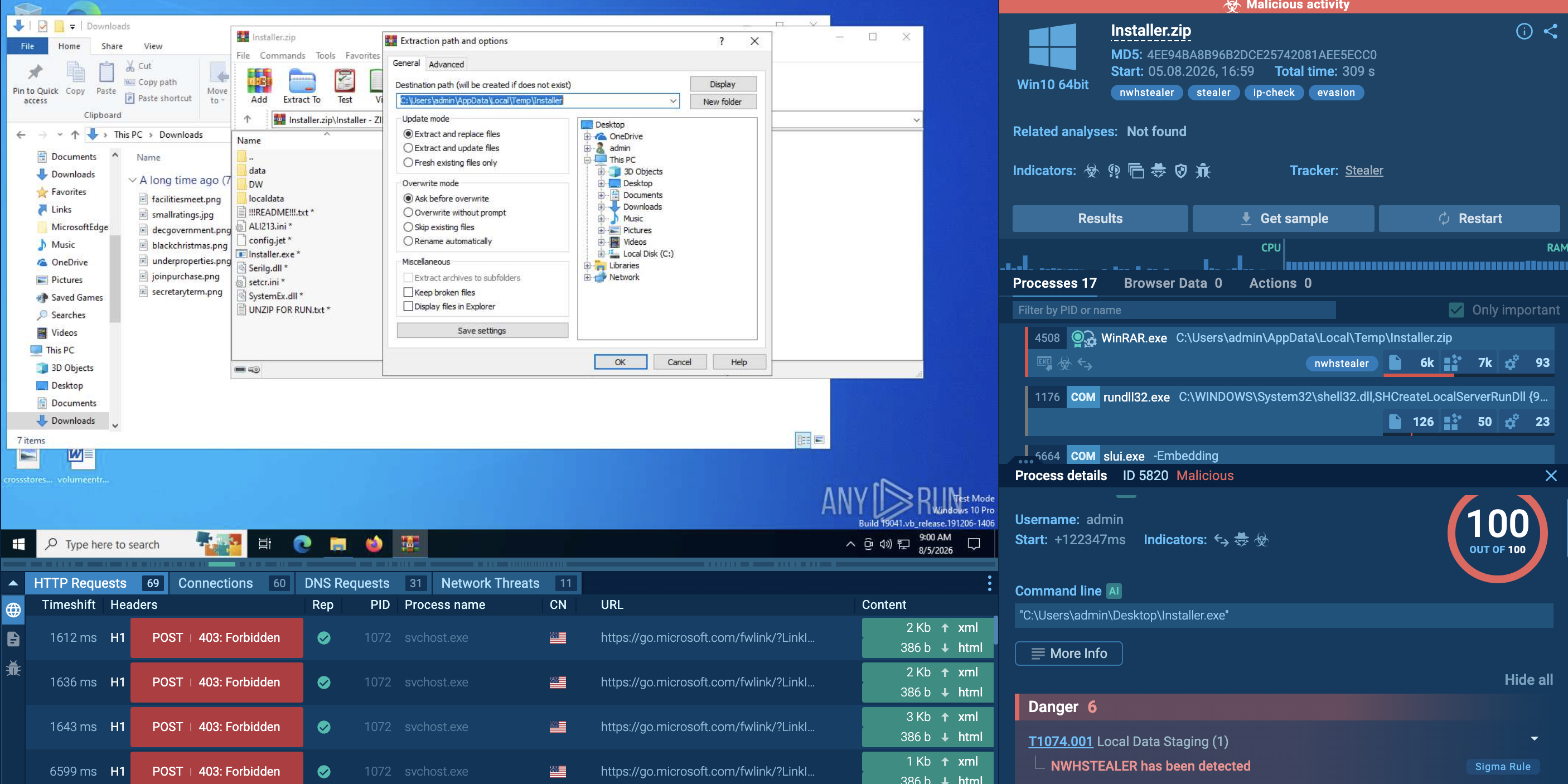
The analyzed sample is distributed as an archive named Installer.zip, disguised as a pirated game.
The archive contains several files:
- Installer.exe — the main executable.
- ALI213.ini — a configuration file associated with the crack.
- GameSettings.ini — an additional configuration file.
- !!!README!!!.txt — a text file included in the archive.
- DLL files — supporting dynamic-link libraries.
- DW\dw.exe — another copy of the same executable binary.
The main executable, Installer.exe, is signed with an untrusted certificate.
The filenames and crack-related components make the archive resemble a game installation package, helping disguise the malicious executable.
Stage 2: Execution Control and System Profiling
After execution, NWHStealer creates a mutex named Global\5a705c45.
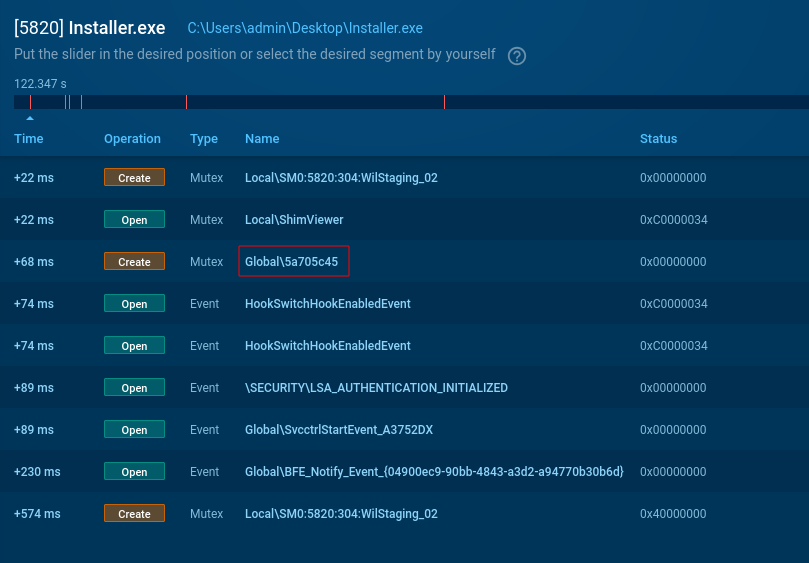
This mechanism helps ensure that only one instance of the malware runs on the infected machine at a time.
The malware then collects information about the system, including:
- Computer name.
- Operating system version.
- Installed software.
To identify the machine's external IP address, NWHStealer queries: api.ipify.org
This information provides an initial profile of the compromised environment before the malware proceeds with data collection.
Stage 3: Browser Data Extraction and Decryption
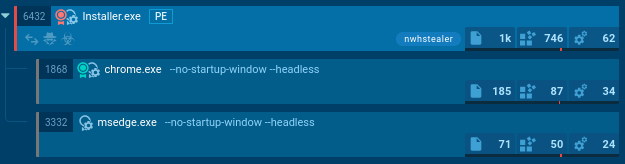
NWHStealer targets Google Chrome and Microsoft Edge to access information stored in these browsers.
To facilitate data collection, the malware launches both browsers in headless mode using the --headless command-line argument.
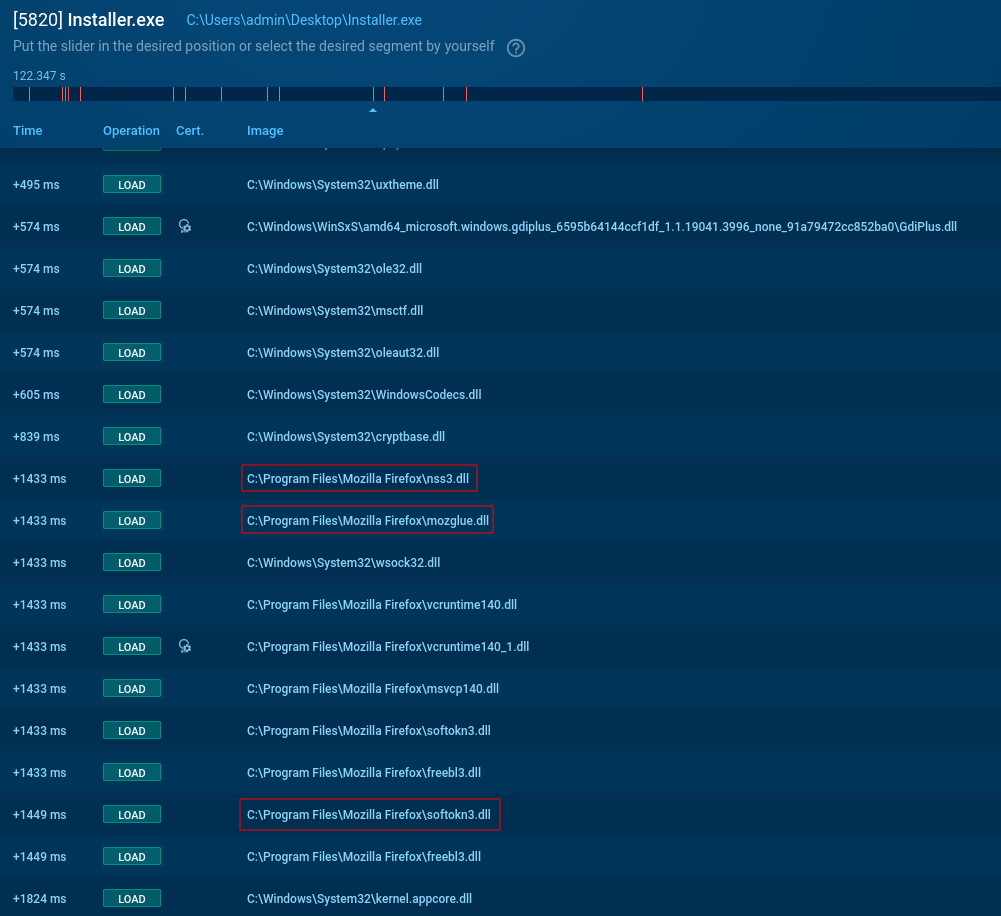
It also loads nss3.dll, a library associated with Mozilla Firefox, from the Firefox installation directory.
The library is used to decrypt protected browser information, allowing the malware to access stored data.
Browser databases are copied into temporary files following the naming pattern: %TEMP%\akg_*.tmp
These temporary copies are used during the subsequent data collection process.
The combination of headless browser execution, Firefox NSS library loading, and temporary database copies supports the extraction of sensitive browser information.
Stage 4: Cryptocurrency Wallets and Application Data Collection
Beyond browser information, NWHStealer searches for data associated with several applications and services.
Its collection targets include: Cryptocurrency wallets:
- MetaMask and other browser wallet extensions.
- Ledger Live.
- Binance.
Messaging applications:
- Telegram, specifically its tdata directory.
FTP clients:
- FileZilla.
- CoreFTP.
- FlashFXP.
- SmartFTP.
VPN applications:
- Private Internet Access (PIA).
- Windscribe.
- Surfshark.
Email clients:
- Mozilla Thunderbird.
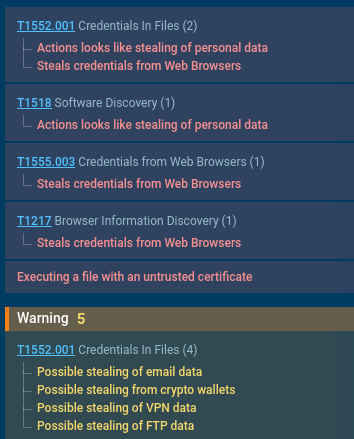
By targeting these applications, NWHStealer attempts to collect a broad range of information associated with user accounts, authentication, cryptocurrency activity, communications, and network access.
This range of targets demonstrates that the analyzed sample is designed to collect more than conventional browser credentials.
Stage 5: C2 Communication and Data Exfiltration
After collecting the targeted information, NWHStealer transmits it to its command-and-control server through HTTP.
The analyzed sample communicates with 2.26.252.48:8080.
The infrastructure is associated with GB (United Kingdom), AS KYONIX, according to the observed analysis.
The exfiltration process follows three distinct stages:
- Handshake: The malware initiates communication through the /gate/handshake endpoint.
- Data Upload: It sends six POST requests to /gate/chunk, transmitting encrypted data blocks of up to approximately 107 KB.
- Completion: After the data transfer, the malware sends a request to /gate/complete.
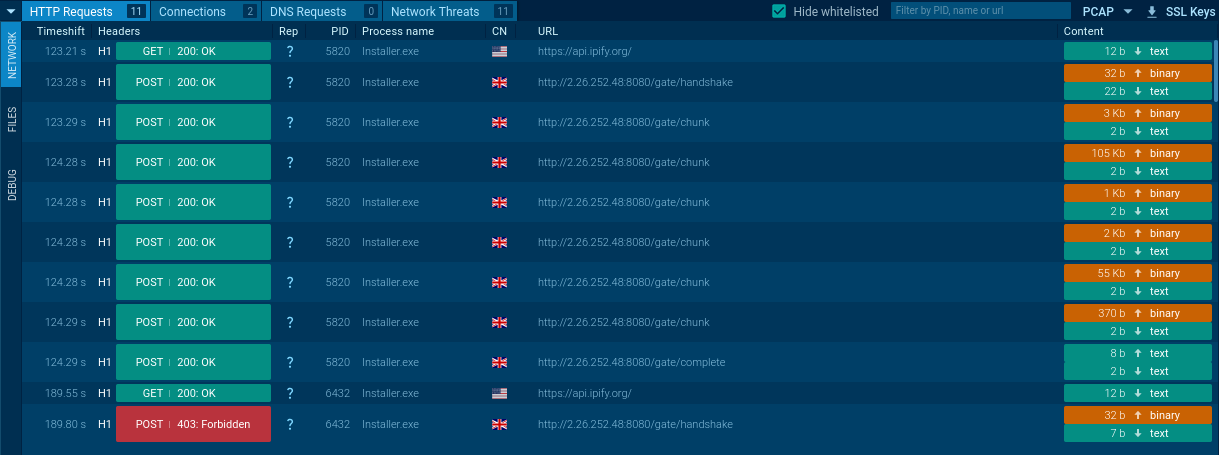
The HTTP requests use the following User-Agent: Microsoft-CryptoAPI/10.0.
The entire process, from initial execution to data transmission, takes approximately two seconds. Once the exfiltration cycle is complete, the malware process terminates.
This short execution window makes behavioral monitoring particularly important when investigating potential NWHStealer infections.
Stage 6: Repeat-Execution Restrictions
The analysis also revealed a mechanism that limits repeated communication with the C2 server.
When the sample is executed again on the same machine, the C2 server responds to the handshake request with HTTP status code 403.
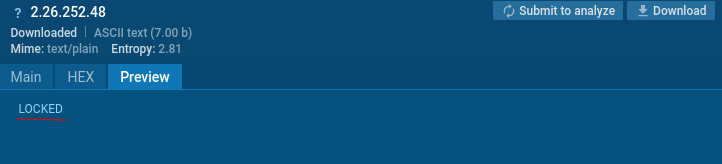
As a result, the malware does not proceed with another data transmission.
This behavior complements the local mutex mechanism:
- Local execution control: The Global\5a705c45 mutex prevents multiple instances from running simultaneously.
- C2-side restrictions: The server rejects repeated handshake requests from the same machine, preventing another exfiltration cycle.
Together, these mechanisms limit repeated execution and data submission during the observed activity.
NWHStealer Detection Indicators
Detecting NWHStealer requires correlating endpoint, process, filesystem, and network activity. Individual indicators may not be sufficient because many of the applications and libraries targeted by the malware are legitimate software components.
File and Process Activity
- Suspicious executables launched from downloaded archives or temporary directories.
- Untrusted or unexpected software installers.
- Executables signed with untrusted certificates.
- Unexpected Chrome and Edge processes launched with the --headless argument.
- Unusual loading of nss3.dll by unrelated processes.
- Unexpected access to browser profiles and application data directories.
- Suspicious processes accessing multiple credential-related applications.
Filesystem and Application Data
- Unexpected copying or access of browser databases.
- Unusual temporary files created during browser data collection.
- Access to cryptocurrency wallet directories and browser extensions by unknown processes.
- Unexpected access to Telegram session directories.
- Attempts to collect data from FTP clients, VPN applications, and email clients.
- Processes accessing several unrelated application data directories within a short period.
Network and HTTP Communication
The analyzed sample provides several network indicators:
- C2 IP: 2.26.252.48
- C2 Port: 8080
- Handshake endpoint: /gate/handshake
- Data upload endpoint: /gate/chunk
- Completion endpoint: /gate/complete
- User-Agent: Microsoft-CryptoAPI/10.0
- HTTP behavior: A handshake request, six chunk-upload requests, and a completion request.
- HTTP response: A 403 response to a repeated handshake attempt.
Security teams should also monitor for suspicious outbound connections involving unexpected processes and unusual transfers of data to external infrastructure.
These indicators are specific to the analyzed sample and may change across other versions or deployments.
Credential and Account Activity
Additional detection opportunities include:
- Unusual access to saved browser credentials.
- Suspicious authentication attempts involving accounts used on compromised endpoints.
- Unexpected Telegram session activity.
- Unrecognized access to cryptocurrency accounts.
- Unusual VPN connections or FTP authentication attempts.
- Suspicious activity involving email accounts and stored credentials.
Correlating endpoint activity with subsequent authentication events can help identify potential account compromise even after the original malware process has terminated.
Threat Intelligence and Investigation
NWHStealer's broad collection capabilities and short execution cycle make it important to investigate more than just its executable or C2 address.
A comprehensive investigation should correlate:
- Executable hashes and file metadata.
- Distribution files and associated archives.
- Process execution patterns and mutex names.
- Browser activity and loaded libraries.
- Temporary files and application data access.
- C2 IP addresses and HTTP endpoints.
- User-Agent strings and request sequences.
- Related sandbox analyses and historical indicators.
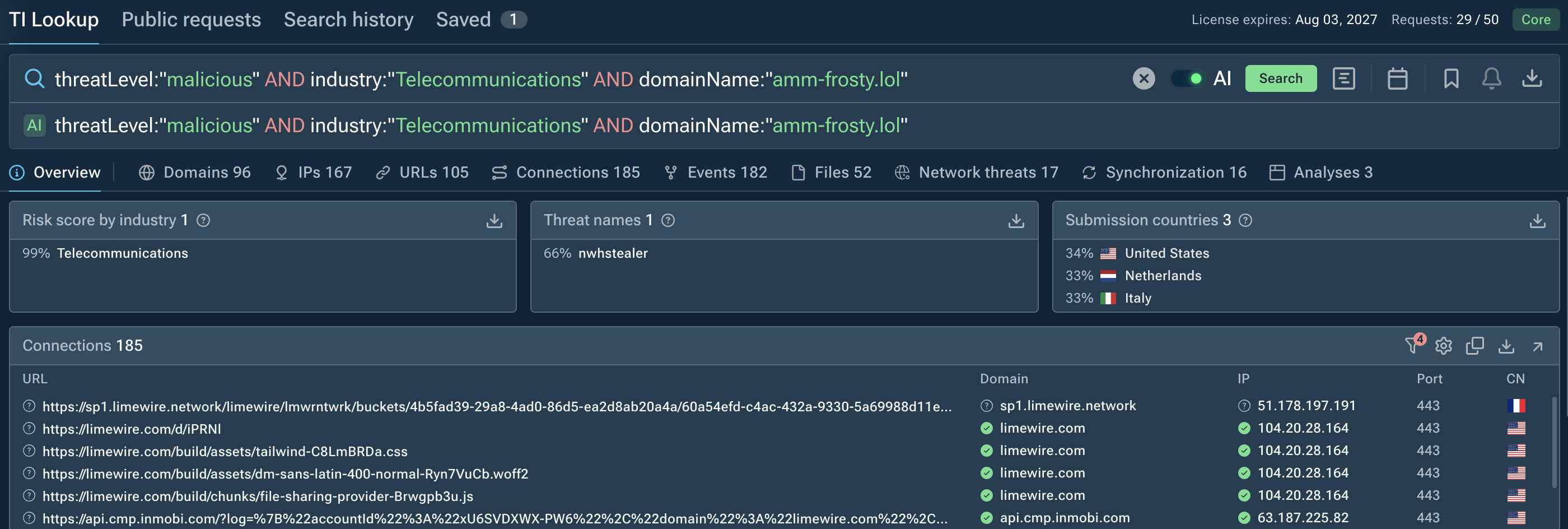
ANY.RUN’s Threat Intelligence Lookup can help correlate suspicious artifacts with historical activity, identify related infrastructure, and investigate previously analyzed samples.
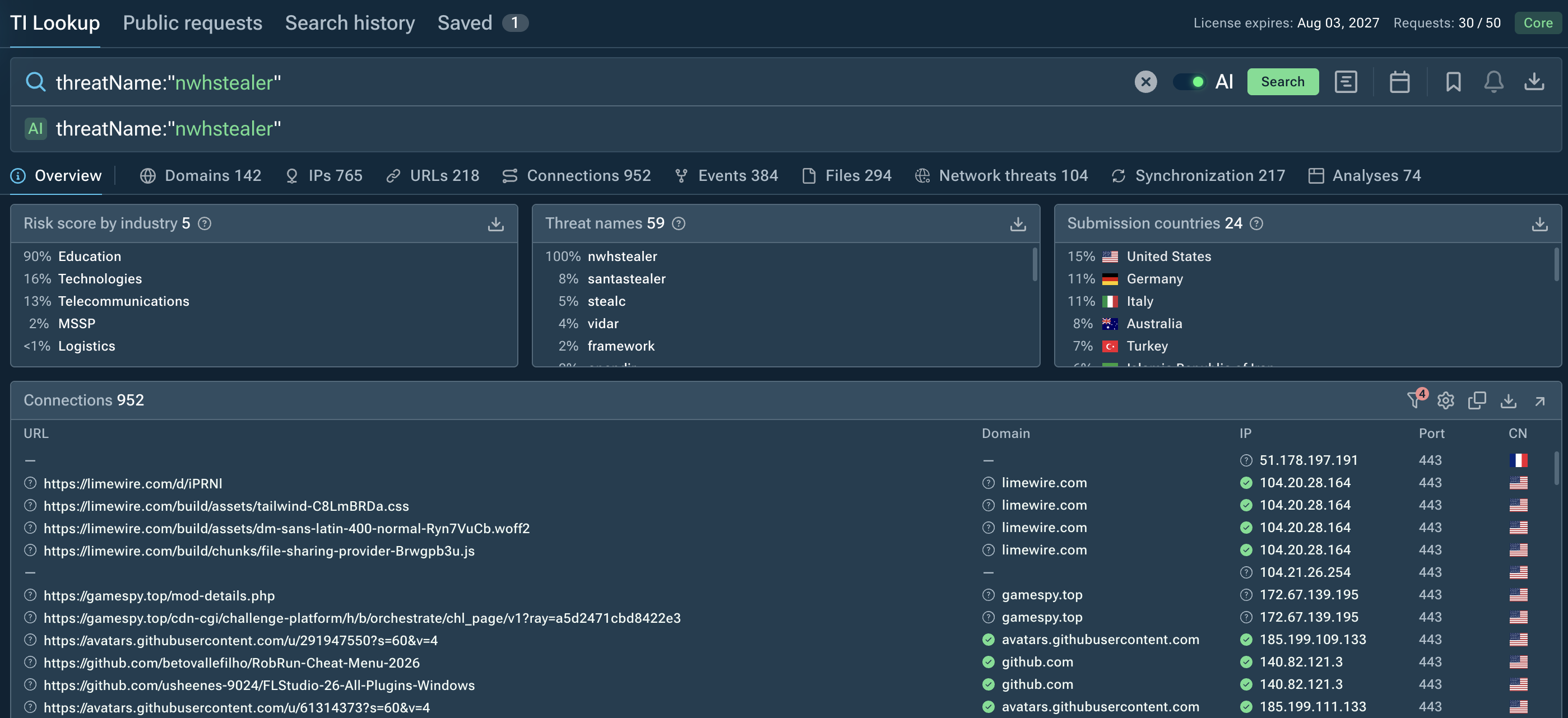
Looking for NWHStealer-related artifacts can help expand an investigation beyond an individual executable and provide additional context about its behavior.
Related Threat Context
ANY.RUN’s Interactive Sandbox now has a powerful new capability for enterprise users — Related Threat Context, also known as Related analyses.
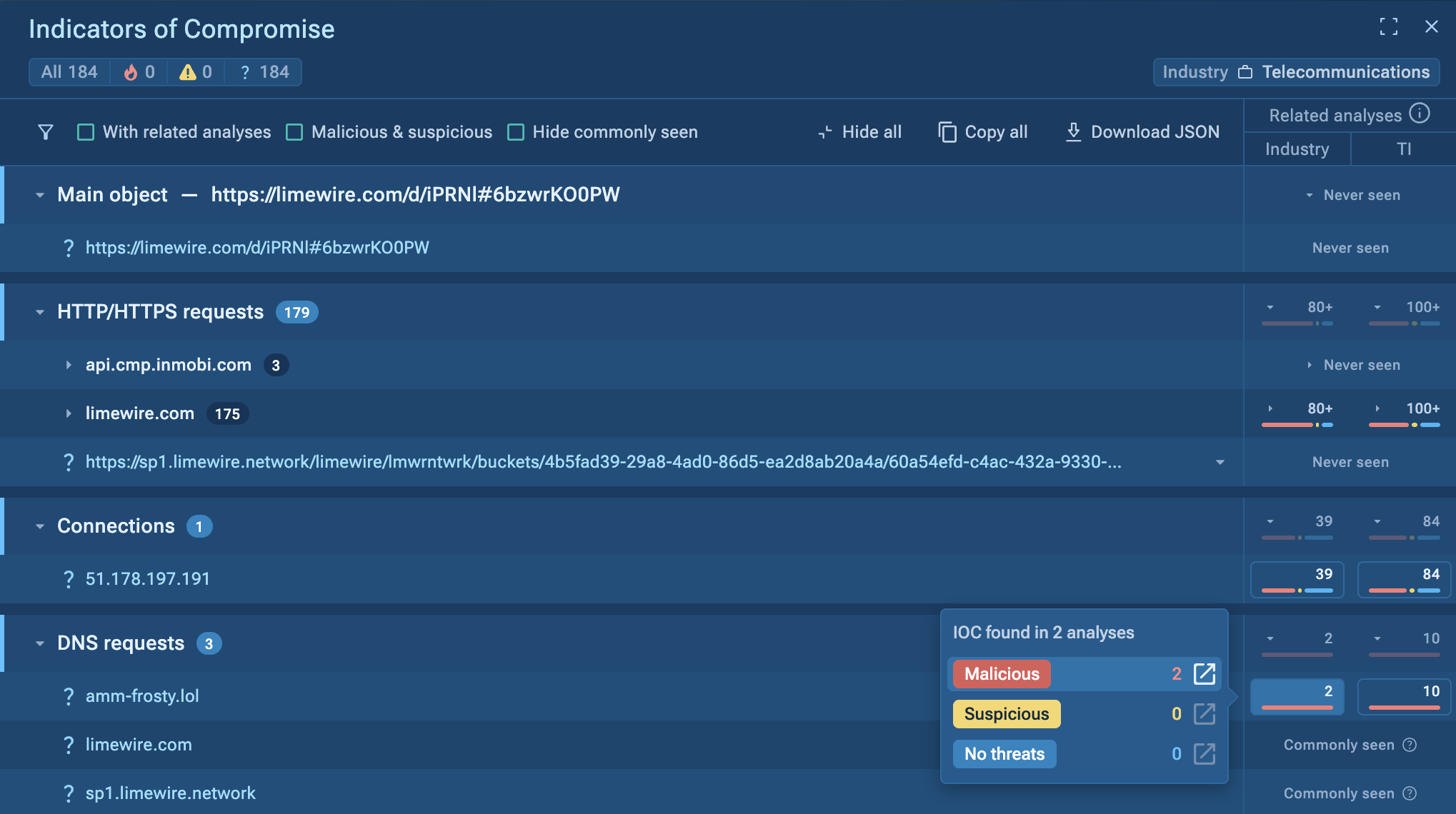
Related Threat Context connects indicators discovered in the current investigation with relevant findings from the SOC team, their industry, and ANY.RUN Threat Intelligence. Instead of manually searching through previous cases or external sources, analysts can explore related sessions, uncover additional IOCs, and review previously observed malicious behaviors.
For instance, let’s observe this NWHStealer sample.
Open the Related analyses section to explore connected malware investigations.
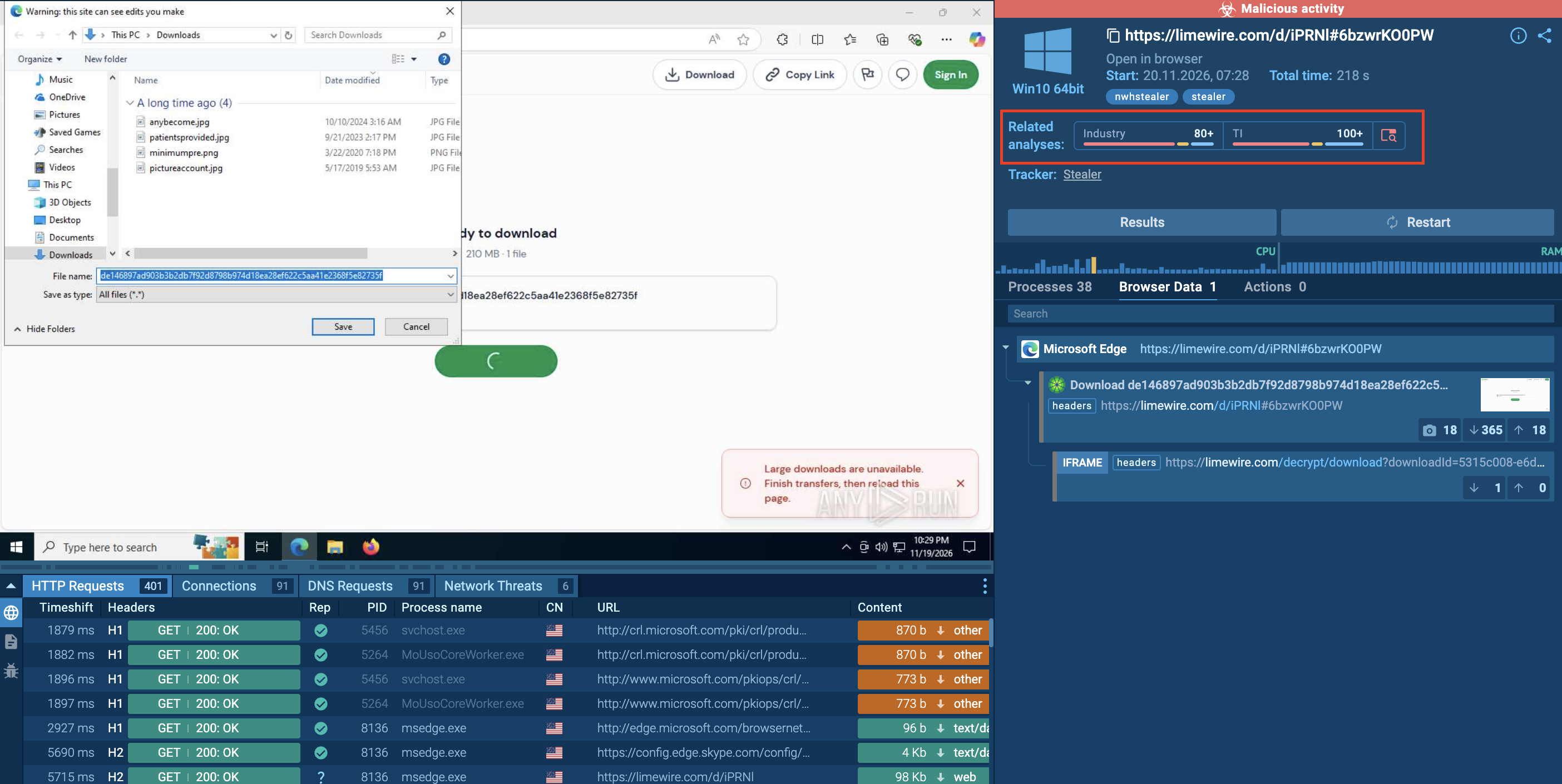
It reveals associated infrastructure, additional indicators, and behavioral patterns that help expand the analysis.
From there, pivot directly to Threat Intelligence Lookup in a single click to enrich your findings and discover potential links to other threats and infrastructure.
NWHStealer Incident Response
When NWHStealer activity is suspected, organizations should investigate both the compromised endpoint and the accounts or services whose information may have been exposed.
Recommended actions include:
- Isolate Affected Systems: Disconnect potentially infected endpoints from the network to prevent additional data collection or communication with attacker infrastructure.
- Secure User Accounts: Reset credentials potentially exposed through browser data collection and investigate suspicious authentication activity.
- Review Browser Sessions: Revoke active sessions and refresh tokens where supported, particularly for accounts accessed from the compromised device.
- Protect Cryptocurrency Assets: Investigate potentially exposed wallets and secure affected accounts and assets using trusted recovery procedures.
- Investigate Messaging Applications: Review Telegram sessions and terminate unfamiliar or unauthorized sessions.
- Secure Remote Access: Review FTP credentials, VPN configurations, and authentication records associated with the infected machine.
- Examine Email Accounts: Investigate potentially exposed email information and monitor for suspicious account activity.
- Preserve Evidence: Retain suspicious executables, archives, process information, filesystem artifacts, network traffic, and relevant sandbox reports.
- Search for Related Activity: Look for matching file hashes, mutex names, temporary files, and network indicators across other endpoints.
- Strengthen Prevention: Restrict untrusted software execution, improve endpoint monitoring, and educate users about the risks of downloading and running files from untrusted sources.
Organizations should also assess whether compromised devices had access to corporate systems, shared resources, privileged accounts, or sensitive business applications.
Since NWHStealer can collect information from multiple applications during a short execution period, incident response should not rely solely on determining whether the malware process is still active.
Investigators should assess what information may have been accessed and transmitted, identify potentially exposed accounts, and take steps to prevent further unauthorized access.
Conclusion
NWHStealer demonstrates how information-stealing malware can expose a broad range of sensitive user data through a single infection.
Its combination of browser data decryption, cryptocurrency wallet targeting, messaging session collection, and FTP and VPN credential theft makes it a potential threat to both individual users and organizations.
The analyzed sample's use of headless browsers and Firefox's NSS library illustrates how legitimate software components can be leveraged to access protected information. Its multi-stage HTTP exfiltration process and repeat-execution restrictions further demonstrate the importance of examining both endpoint and network behavior.
Detecting NWHStealer requires correlating suspicious software execution, browser activity, access to sensitive application data, and unusual C2 communication. Proactive monitoring, endpoint isolation, and timely credential and session protection can help organizations limit the consequences of an infection.
Frequently Asked Questions: SkyW4lker
1. What is NWHStealer?
NWHStealer is an information-stealing malware designed to collect sensitive data from infected systems, including browser credentials, cryptocurrency wallet information, messaging sessions, FTP data, VPN information, and email-related information.
2. How is NWHStealer distributed?
NWHStealer can be delivered through deceptive files and software packages that trick users into executing malware. The analyzed sample was distributed as an archive disguised as a pirated game installer.
3. What information does NWHStealer steal?
It targets information stored in web browsers, cryptocurrency wallets, messaging applications, FTP clients, VPN software, and email clients. Its collection capabilities include browser credentials and application-related data.
4. How does NWHStealer access browser data?
In the analyzed sample, NWHStealer launches Chrome and Edge in headless mode and loads Firefox's nss3.dll library to decrypt stored browser information. It also copies browser databases into temporary files under %TEMP%.
5. How does NWHStealer communicate with its C2 server?
The analyzed sample communicates over HTTP with 2.26.252.48:8080. The process involves a handshake request, six encrypted data-chunk uploads, and a final completion request.
6. How can organizations detect NWHStealer?
Monitor suspicious installer execution, unexpected headless browser processes, unusual nss3.dll loading, temporary files, access to sensitive application directories, and suspicious outbound network connections.
7. Does NWHStealer prevent repeated execution?
The analyzed sample creates a mutex to prevent multiple local instances from running simultaneously. Additionally, its C2 server returns HTTP 403 when the same machine attempts another handshake, preventing subsequent data transmission.
8. How quickly does NWHStealer exfiltrate stolen information?
In the analyzed sample, the complete process from execution to data transmission takes approximately two seconds, after which the malware process terminates.
9. Does NWHStealer target cryptocurrency wallets?
Yes. The analyzed sample searches for MetaMask and other browser wallet extensions, as well as desktop applications such as Ledger Live and Binance.
10. How can sandboxing and threat intelligence help investigate NWHStealer?
Interactive sandboxing allows researchers to observe execution, browser activity, filesystem access, and C2 communication in an isolated environment, while [threat intelligence](https://any.run/threat-intelligence-lookup/?utm_source=mtt&utm_medium=article&utm_campaign= nwhstealer&utm_term=231126&utm_content=linktotilookuplanding) helps correlate collected indicators with historical analyses and related infrastructure.
Other malware & phishing threats
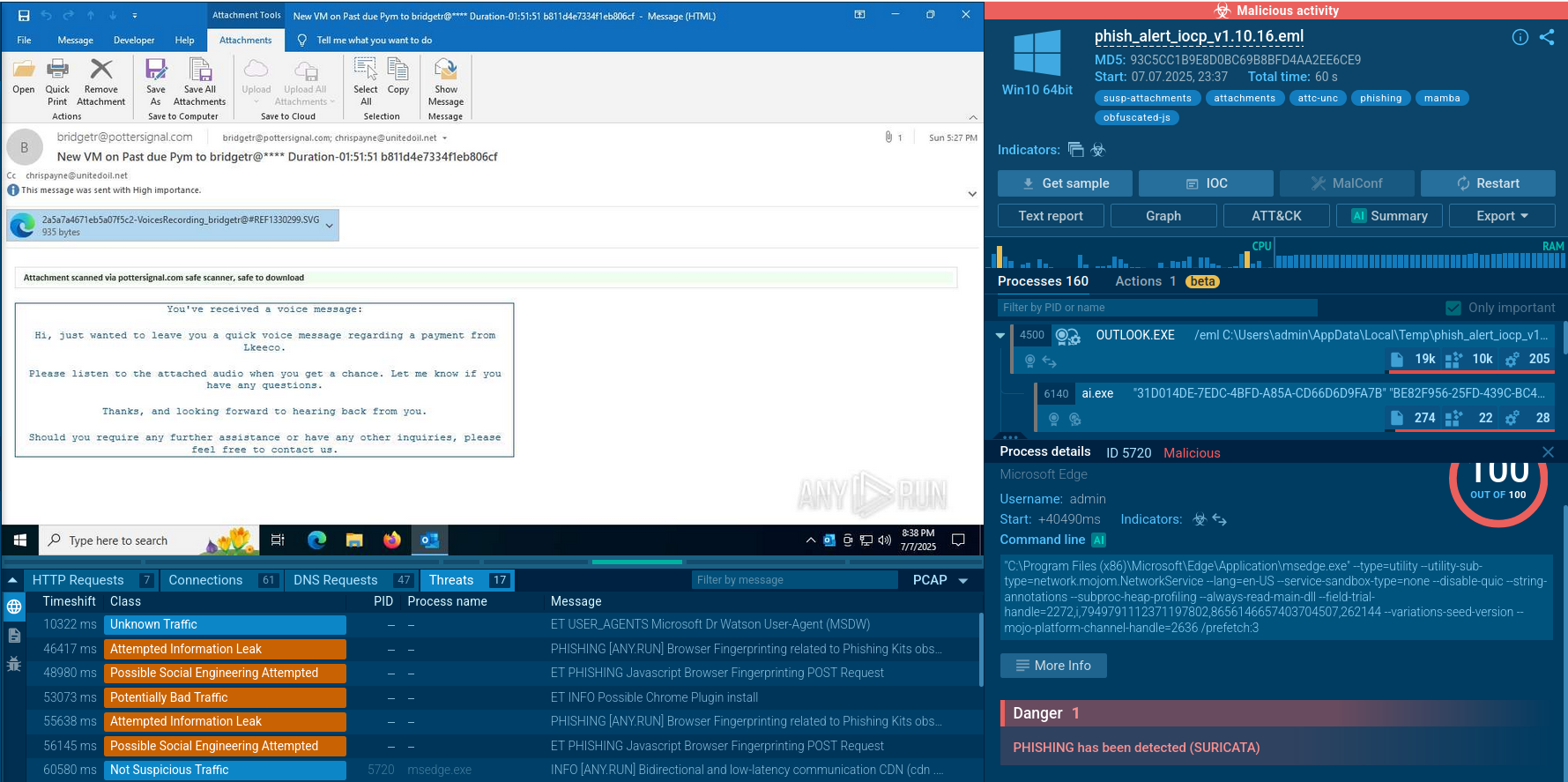 Mamba 2FAMamba 2FA is an advanced phishing-as-a-service (PhaaS) platform designed to bypass multi-factor authentication (MFA) and target Microsoft 365 accounts. It focuses on intercepting authentication flows in real-time and enables threat actors to hijack user sessions and access sensitive systems even when additional security measures are in place.
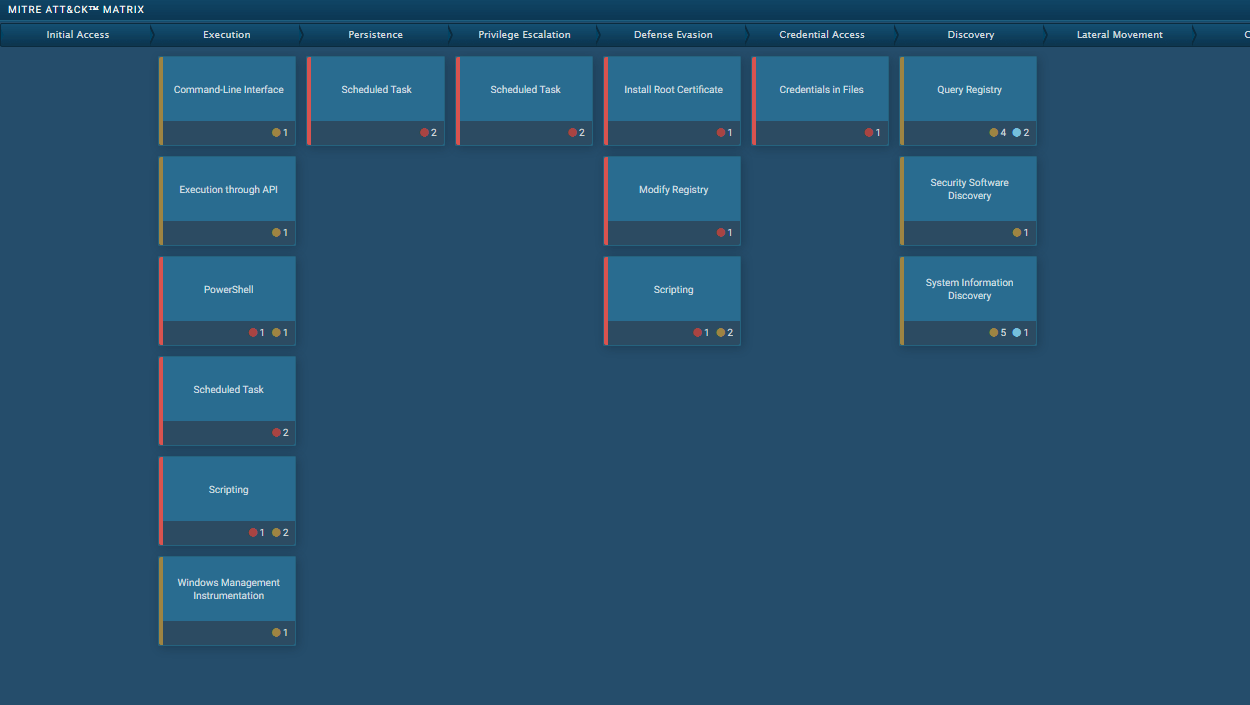 GootkitGootkit is an advanced banking trojan. It is extremely good at evading detection and has an incredibly effective persistence mechanism, making it a dangerous malware that researchers and organizations should be aware of.
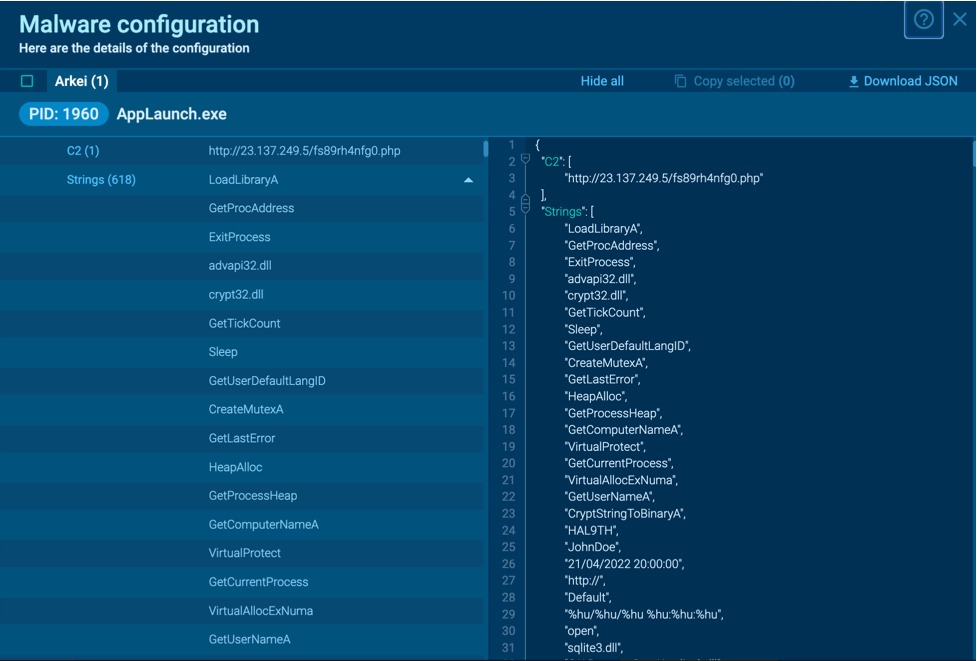 ArkeiArkei is a stealer type malware capable of collecting passwords, autosaved forms, cryptocurrency wallet credentials, and files.
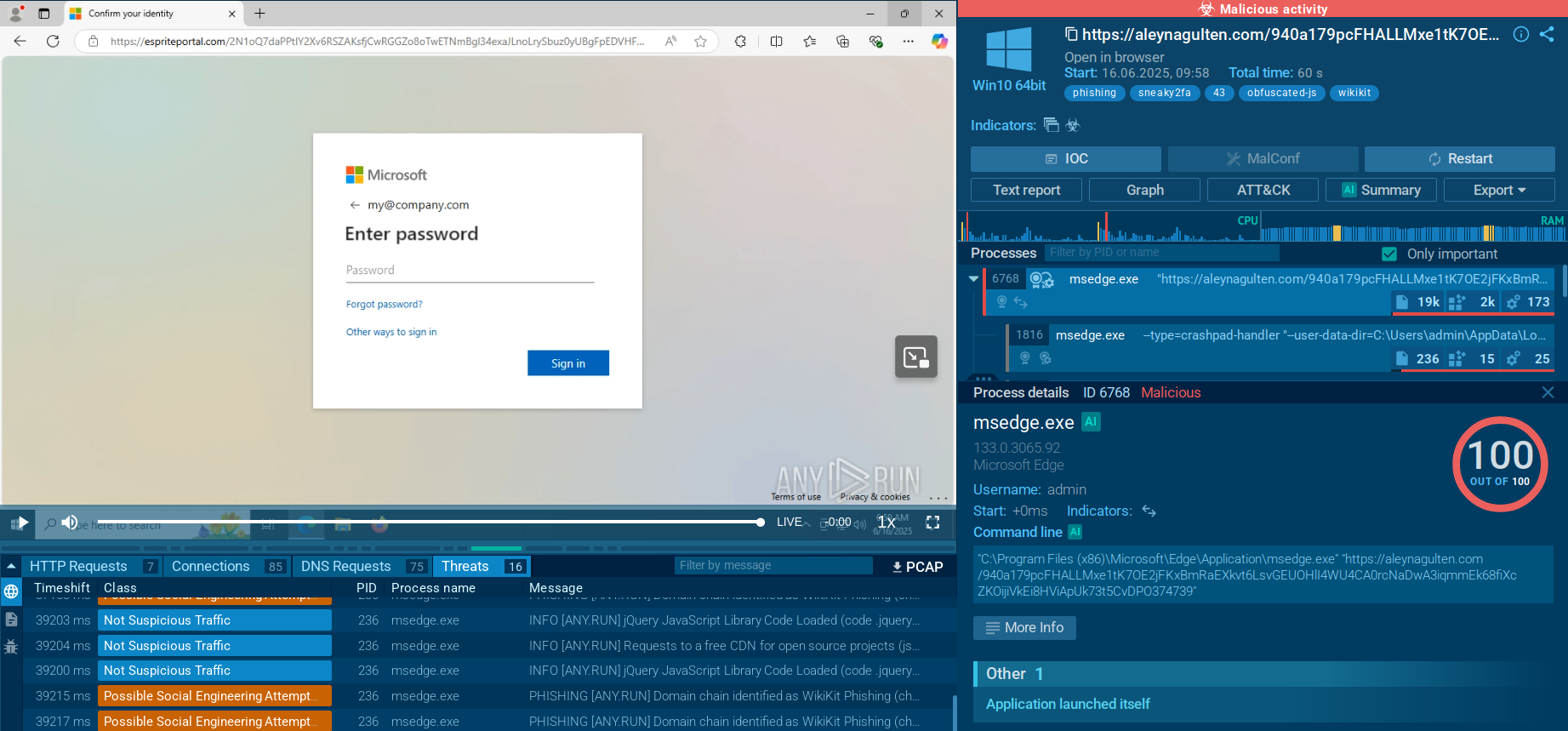 Sneaky 2FASneaky 2FA is an Adversary-in-the-Middle (AiTM) phishing kit targeting Microsoft 365 accounts. Distributed as a Phishing-as-a-Service (PhaaS) through a Telegram bot, this malware bypasses two-factor authentication (2FA) to steal credentials and session cookies, posing a significant threat to individuals and organizations.
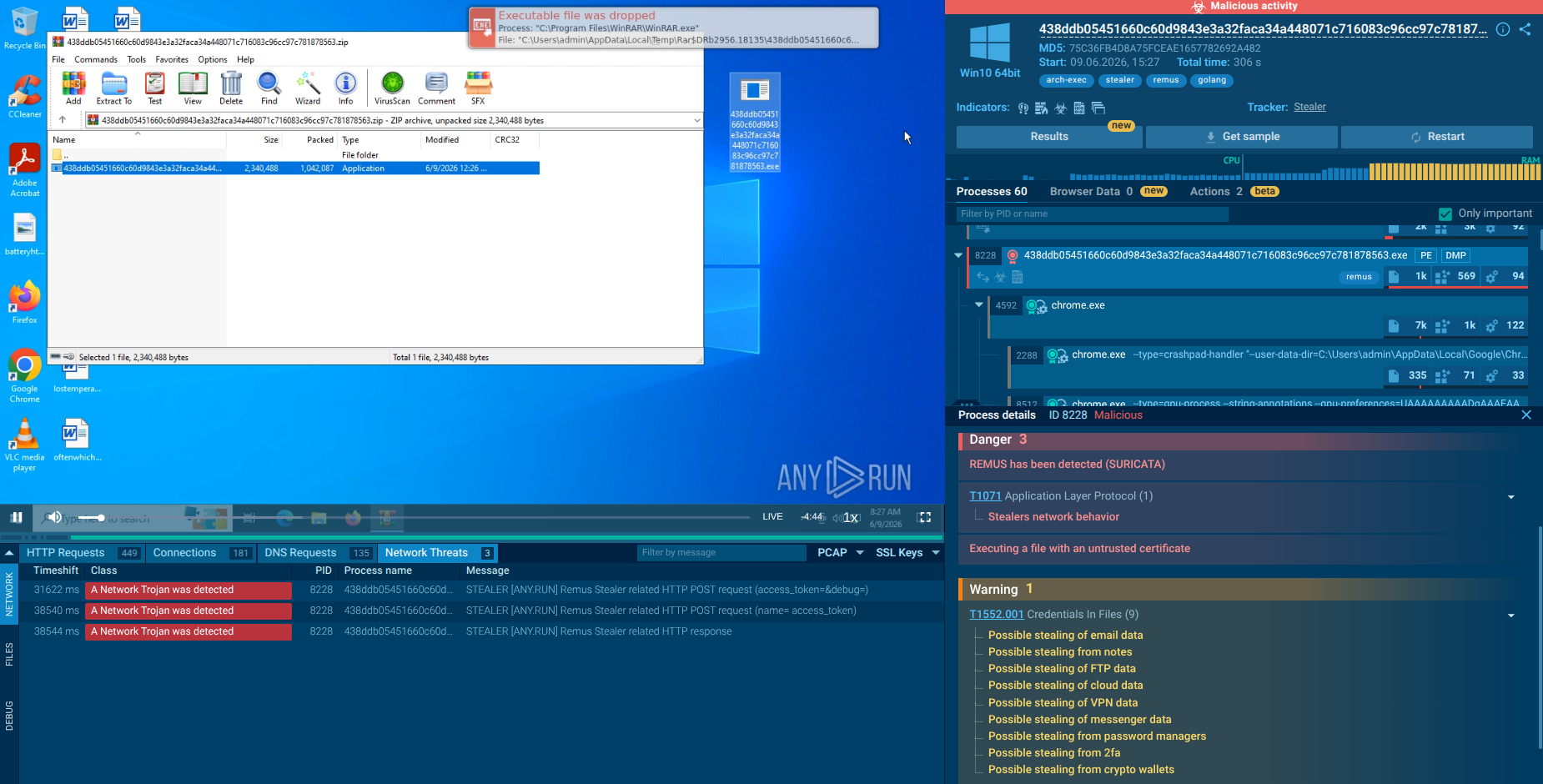 Remus StealerRemus Stealer is a sophisticated 64-bit information stealer operating under a Malware-as-a-Service (MaaS) model. Identified as a direct evolution of the infamous Lumma Stealer, Remus specializes in harvesting credentials, cookies, and cryptocurrency wallets while utilizing blockchain technology for command-and-control (C2) resilience.
 RemcosRemcos is a commercially distributed remote administration and surveillance tool that has been widely observed in unauthorized deployments, where threat actors use it to perform remote actions on compromised machines. It is actively maintained by its vendor, with new versions and feature updates released on a frequent, near-monthly basis.