RatonRAT
- 47
- Global rank
- 104
- Month rank
- 90
- Week rank
RatonRAT is a .NET-based Remote Access Trojan targeting Windows systems. It supports credential theft, screen capture, system and hardware discovery, persistence, and C2 communication. Samples use techniques such as Registry Run keys and scheduled tasks for persistence, with some variants employing anti-analysis and evasion techniques.
- RAT
- Type
- Unknown
- Origin
- 1 March, 2026
- First seen
- 19 October, 2026
- Last seen
How to analyze RatonRAT with ANY.RUN
IOCs
IP addresses
- 57.153.246.3
- 104.26.7.74
- 2.21.239.135
- 131.253.33.203
- 2.16.204.153
- 172.211.123.250
- 20.165.94.63
- 48.192.1.64
- 23.11.40.157
- 83.9.65.197
- 135.232.92.97
- 20.190.160.65
- 23.59.18.102
- 150.171.109.99
- 48.192.1.65
- 40.126.31.3
- 62.210.172.133
- 142.251.20.138
- 51.75.242.210
- 74.178.76.128
Hashes
- 70868cd40021b6df1195ba764a6672d8e19ab58b86a263992986361f316a51ce
- 1d3ef8698281e7cf7371d1554afef5872b39f96c26da772210a33da041ba1183
- 666d44798d94eafa1ed21af79e9bc0293ffd96f863ab5d87f78bcee9ef9ffd6b
- 619737e2af8fb713085726631dd2e522fe130cac1d388a59c38907a47d7aadea
- b69c9547c7bf0d6e357993d41228b6cef033f4f2e0ecba9f07325c7e980139ae
- 7a9e767ad824afa2c1b0aed513fe1cf2b8dac6d40f24e7c4075af32b1cf23a20
- 4f8d8c4140146674b103c8a3c46fbc4c768a86c0012a167168e3f7da2b3e5c09
- 5dca4b3b7f1f2abdd2f94d3a056e4c414605da248612f02a0d2ab38083aa8ef8
- 3c8359bb74c6dabd2ec8ba561ffa163f24859ff5aef724fb5794073e2e883a02
- a4e5b9e377a10dcf8f4a8be4ab389a947396f0232a4bf36b69473871b5488dce
- 923242a721d68e22efa323941768297a9f74ab9be16985378d721023163abef7
- f90fa08e9fdabf2c8c38a3f1651db766f97402f18fac8947ffcc45de93454c08
- 1b167ae8adf188533d78f9d369bcc7e43cb3084ac8612aef2baefab8ca673479
- 30a7f29bb6ead044330bb2e13f9505c8910685c989bddf0349ce700ecbfbc4ea
- accccfbe45d9f08ffeed9916e37b33e98c65be012cfff6e7fa7b67210ce1fefb
- 966a474060a8aca70c73ba09d0b6fe2353035961c7107b9003ef879c010ff8da
- bf3fb84664f4097f1a8a9bc71a51dcf8cf1a905d4080a4d290da1730866e856f
- c3ae599b5218516915f6542779ef577d5ad5de3d84a116e671c09e15e4591285
- aced52254a8c3cb6ad30f99f8b745296926c49373cab00824c2c4c10ad325b10
- bafa6ed04ca2782270074127a0498dde022c2a9f4096c6bb2b8e3c08bb3d404d
Domains
- self.events.data.microsoft.com
- crl.microsoft.com
- activation-v2.sls.microsoft.com
- www.microsoft.com
- settings-win.data.microsoft.com
- th.bing.com
- slscr.update.microsoft.com
- ocsp.digicert.com
- client.wns.windows.com
- oneocsp.microsoft.com
- login.live.com
- www.bing.com
- google.com
- ipwhois.app
- ecs.office.com
- nexusrules.officeapps.live.com
- fe3cr.delivery.mp.microsoft.com
- edge.microsoft.com
- update.googleapis.com
- edge-cloud-resource-static.azureedge.net
URLs
- http://crl.microsoft.com/pki/crl/products/microoceraut2011_2011_03_22.crl
- http://www.microsoft.com/pkiops/crl/microsoft%20secure%20server%20ca%202026.crl
- http://ocsp.digicert.com/mfewtzbnmeswstajbgurdgmcgguabbtrjrydryt%2bapf3gspypfhbxr5xtqqus9tippmhxdiunkhmewnpyim8s8yceajtxtab8my1oj8mfwpz%2f7y%3d
- http://oneocsp.microsoft.com/ocsp/mfqwujbqme4wtdajbgurdgmcgguabbq3l3%2f%2fa6adk8nray2gxzvayrhg4aqub6t%2b2v%2bxq3lso2d33ojhnyhhqoucezmaaaafuwohyjguzpcaaaaaaau%3d
- https://ipwhois.app/json/
- http://ocsp.digicert.com/mfewtzbnmeswstajbgurdgmcgguabbq50otx%2fh0ztl%2bz8sipi7wewvxdlqqutijuibiv5unu5g%2f6%2brks7qyxjzkceaz1vqyrvgl0erhqlcpm8gy%3d
- https://login.live.com/rst2.srf
- https://login.live.com/ppsecure/deviceaddcredential.srf
- https://th.bing.com/th?id=odswg.iotdlocalicon&w=16&h=16&c=1&rs=1&p=0
- http://www.microsoft.com/pkiops/crl/microsoft%20ecc%20update%20secure%20server%20ca%202.1.crl
- https://slscr.update.microsoft.com/sls/%7b522d76a4-93e1-47f8-b8ce-07c937ad1a1e%7d/x64/10.0.19045.4046/0?ch=686&l=en-us&p=&pt=0x30&wua=10.0.19041.3996&mk=dell&md=dell
- https://fe3cr.delivery.mp.microsoft.com/clientwebservice/ping
- https://slscr.update.microsoft.com/sls/ping
- https://slscr.update.microsoft.com/sls/%7be7a50285-d08d-499d-9ff8-180fdc2332bc%7d/x64/10.0.19045.4046/0?ch=686&l=en-us&p=&pt=0x30&wua=10.0.19041.3996&mk=dell&md=dell
- https://activation-v2.sls.microsoft.com/slactivateproduct/slactivateproduct.asmx?configextension=retail
- http://edge.microsoft.com/browsernetworktime/time/1/current?cup2key=2:-hbrtepj-4ag7zq7yysy2yo2c_y2hljjizzlqlr-fpw&cup2hreq=e3b0c44298fc1c149afbf4c8996fb92427ae41e4649b934ca495991b7852b855
- https://edge.microsoft.com/serviceexperimentation/v3/?osname=win&channel=stable&osver=10.0.19045&devicefamily=desktop&installdate=1661339457&clientversion=133.0.3065.92&experimentationmode=2&scpguard=0&scpfull=0&scpver=0
- https://config.edge.skype.com/config/v1/edge/133.0.3065.92?clientid=4489578223053569932&agents=edge%2cedgeconfig%2cedgeservices%2cedgefirstrun%2cedgefirstrunconfig&osname=win&client=edge&channel=stable&scpfre=0&osarch=x86_64&osver=10.0.19045&wu=1&devicefamily=desktop&uma=0&sessionid=72&mngd=0&installdate=1661339457&edu=0&soobedate=1504771245&bphint=2&fg=1&lbfgdate=1766137499&lafgdate=0
- https://copilot.microsoft.com/c/api/user/eligibility
- https://gofile.io/d/huiadpfu
Last seen at
Key Takeaways
- Credential and Data Theft: RatonRAT can steal credentials and collect system and hardware information from compromised Windows systems.
- Persistence Mechanisms: The malware uses scheduled tasks and Active Setup to maintain execution after user logon.
- Defense Evasion: RatonRAT can bypass PowerShell ExecutionPolicy and add its process to Microsoft Defender exclusions.
- System and VM Discovery: It checks running processes, privileges, BIOS and disk information, as well as VirtualBox and VMware environments.
- C2 Communication: After establishing itself, RatonRAT connects to a configured command-and-control server to receive further instructions.
- Configurable .NET Malware: The family uses a configurable .NET architecture and Costura/Fody to bundle its components.
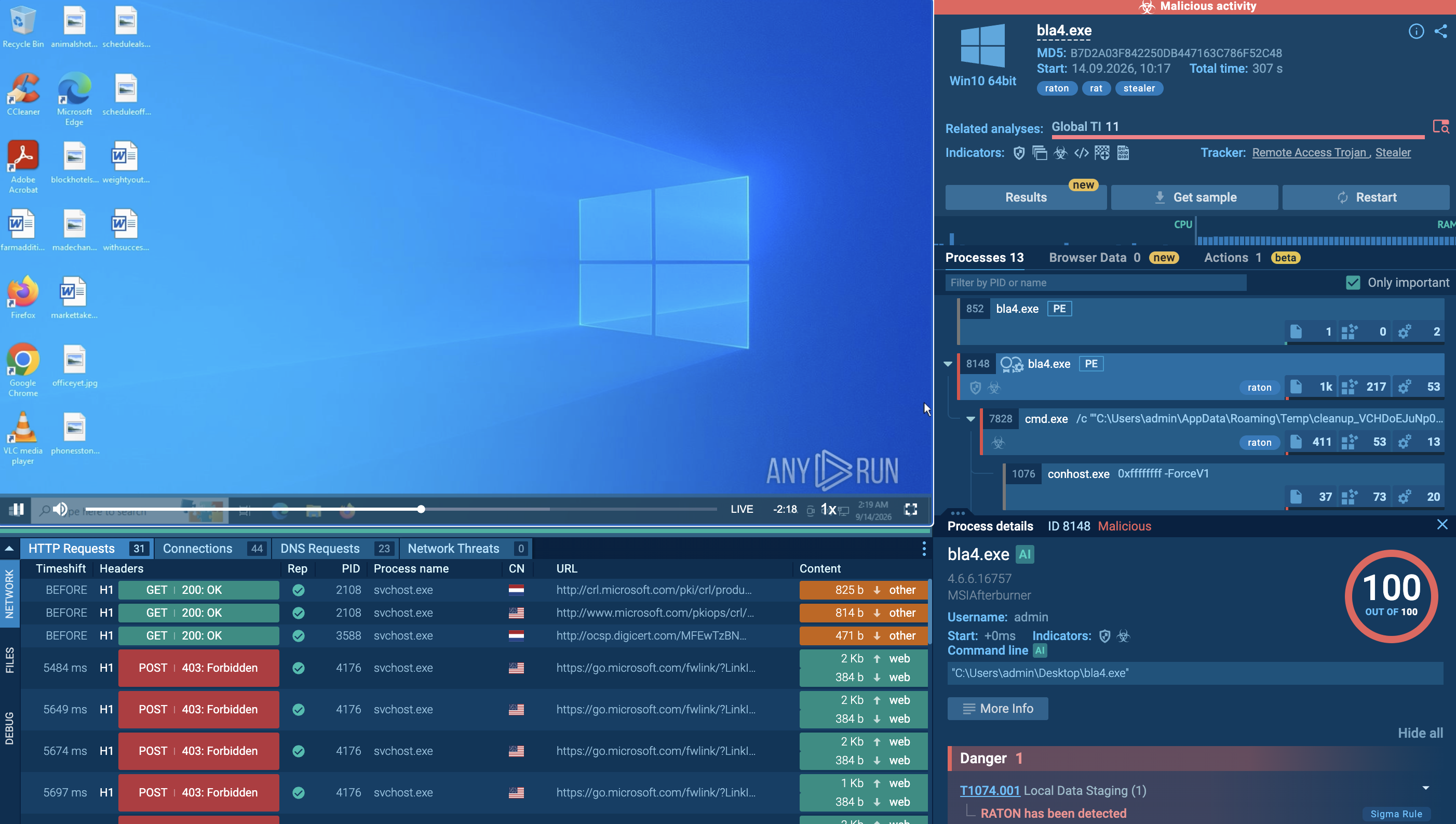
- ANY.RUN’s Interactive Sandbox analysis reveals a sequence involving self-relocation, BAT-based execution, persistence, Defender exclusion, virtual environment checks, and subsequent C2 communication.
What is RatonRAT?
RatonRAT is a .NET-based Remote Access Trojan targeting Windows systems. The malware provides attackers with remote access to compromised hosts and supports capabilities including credential theft, system information collection, persistence, and security evasion.
The family is characterized by its configurable architecture and the use of Costura/Fody to package .NET components. This allows different samples to maintain a similar underlying structure while using customized configurations.
Observed samples also demonstrate a focus on maintaining access and reducing visibility after execution. The malware can relocate itself to an application-data directory, establish automatic startup mechanisms, modify Microsoft Defender exclusions, and communicate with a configured C2 server.
How RatonRAT Impacts Businesses and Organizations
A RatonRAT infection can create several risks for businesses and organizations:
- Credential exposure: The malware can collect credentials from compromised systems, potentially exposing access to corporate services and applications.
- Unauthorized remote access: As a RAT, RatonRAT provides attackers with a channel for remote control and further interaction with an infected endpoint.
- Persistence: Scheduled tasks and Active Setup entries can allow the malware to restart automatically after user logon or environment initialization.
- Security control bypass: Changes to Microsoft Defender exclusions can reduce endpoint protection visibility and allow the malware to continue operating.
- Reconnaissance: System, hardware, process, disk, BIOS, and privilege information can help attackers understand the compromised environment.
- Virtualization awareness: Checks for VirtualBox and VMware can allow the malware to identify analysis or virtualized environments.
- Follow-on activity: Once a C2 connection is established, additional behavior depends on the commands received by the infected client.
Victimology: Who Can Be Affected?
RatonRAT targets Windows systems, making organizations that rely on Windows workstations and endpoints potentially exposed to the malware.
Its capabilities are not limited to a particular industry. Credential collection, system reconnaissance, persistence, and remote access are broadly applicable to attacks against corporate endpoints.
Because RatonRAT can receive instructions from a configured C2 server, the activity performed after infection may vary between samples and campaigns.
How Does RatonRAT Function?
Observing a RatonRAT sample inside ANY.RUN’s Interactive Sandbox shows a sequence focused on establishing a stable execution location, creating persistence, weakening endpoint protections, collecting information about the environment, and contacting the C2 server.
The general execution flow begins with the initial executable relocating itself, followed by BAT-based execution, persistence, security evasion, system reconnaissance, and C2 communication.
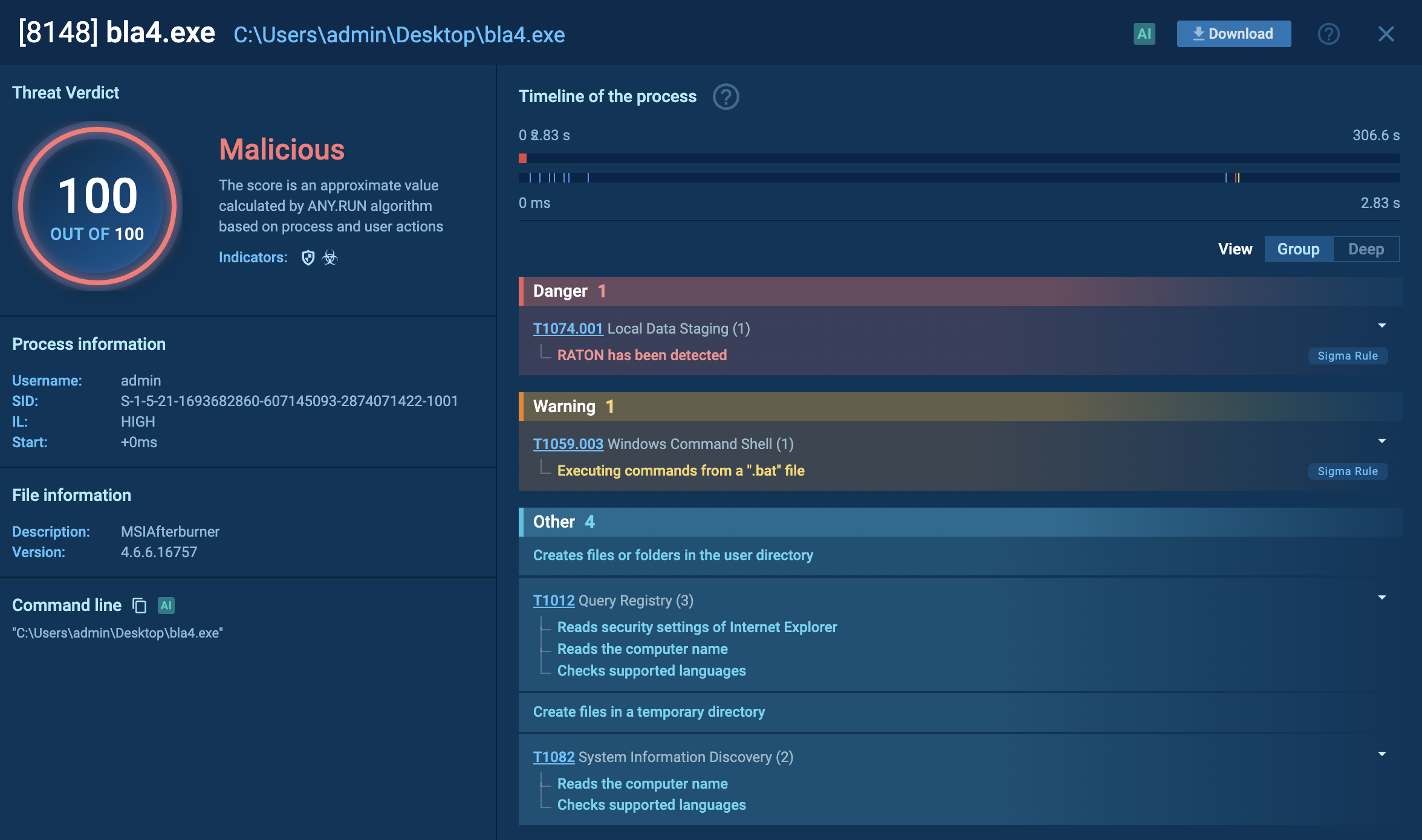
Stage 1: Self-Relocation and BAT Creation
Immediately after execution, an observed RatonRAT sample copies itself into: **%APPDATA%\Roaming\PlatformRuntime**
The malware also creates a BAT file inside: **%APPDATA%\Roaming\Temp**
The BAT filename frequently follows a pattern similar to: cleanup_[a-z0-9]{30}.bat
The exact filename and script contents can vary between samples, but the overall structure remains similar.
The BAT script uses helper commands through cmd.exe and timeout.exe. It launches the relocated executable and attempts to remove the original executable from the desktop, helping the malware continue execution from its new location while cleaning up traces of the initial file.
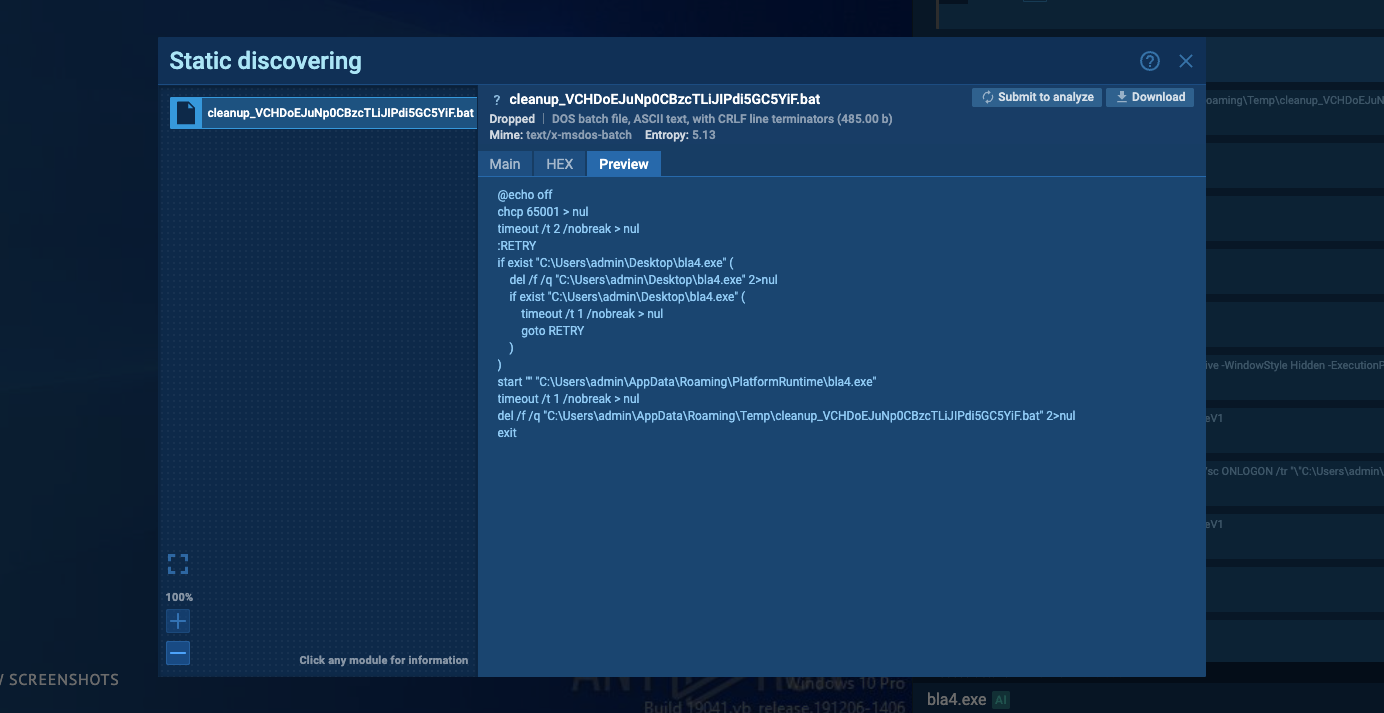
Stage 2: BAT-Based Execution
The newly created BAT file is subsequently executed. Its primary purpose is to start the copied RatonRAT executable from the **%APPDATA%\Roaming\PlatformRuntime** directory.
The script also performs cleanup operations intended to remove traces of the original executable.
This creates an execution sequence in which the initial file is no longer the main execution location:
Original executable → BAT script → relocated RatonRAT copy
Stage 3: Establishing Persistence
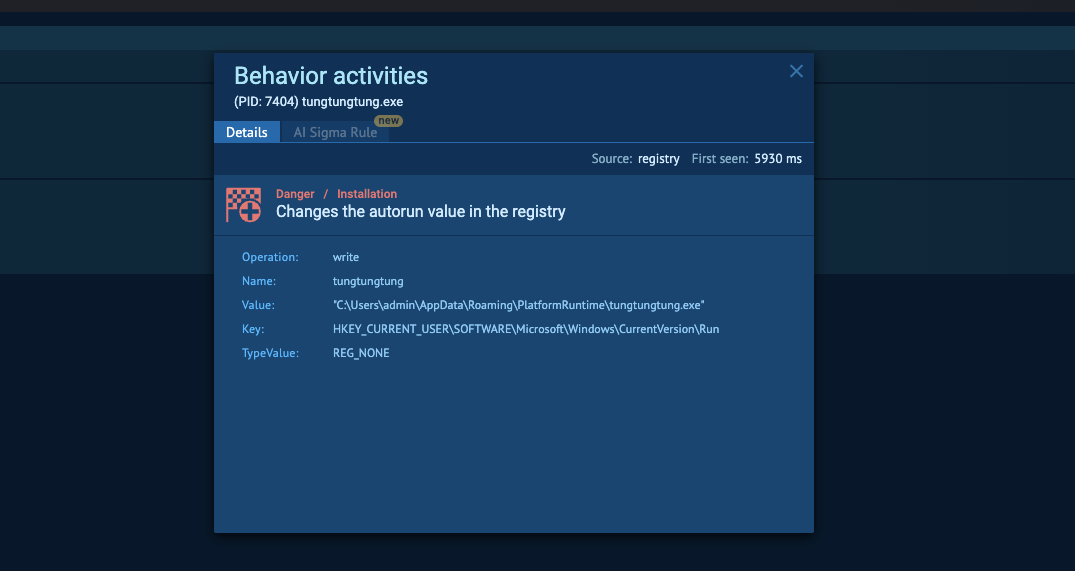
After launching from its new location, RatonRAT proceeds to establish persistence.
One observed mechanism is a scheduled task configured to launch the malicious executable when the user logs in. The task can be created with elevated privileges, allowing the malware to regain execution automatically after login.
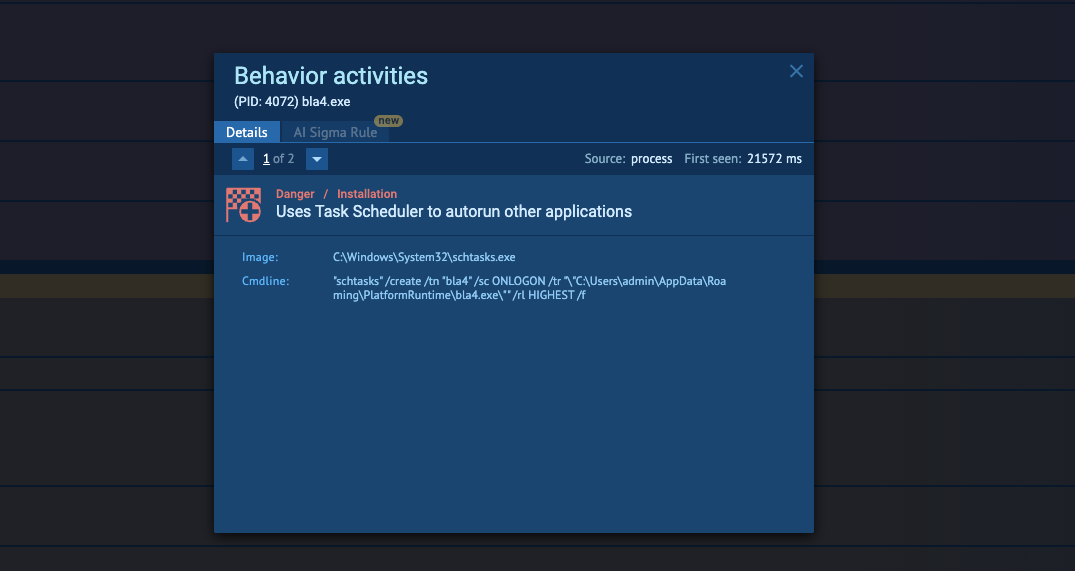
Some samples use a different persistence mechanism based on Active Setup rather than a scheduled task. Active Setup allows a component to execute automatically when the user's environment is initialized.
This variation demonstrates that persistence behavior can differ between RatonRAT samples while serving the same purpose: maintaining execution after the initial compromise.
Stage 4: PowerShell and Microsoft Defender Evasion
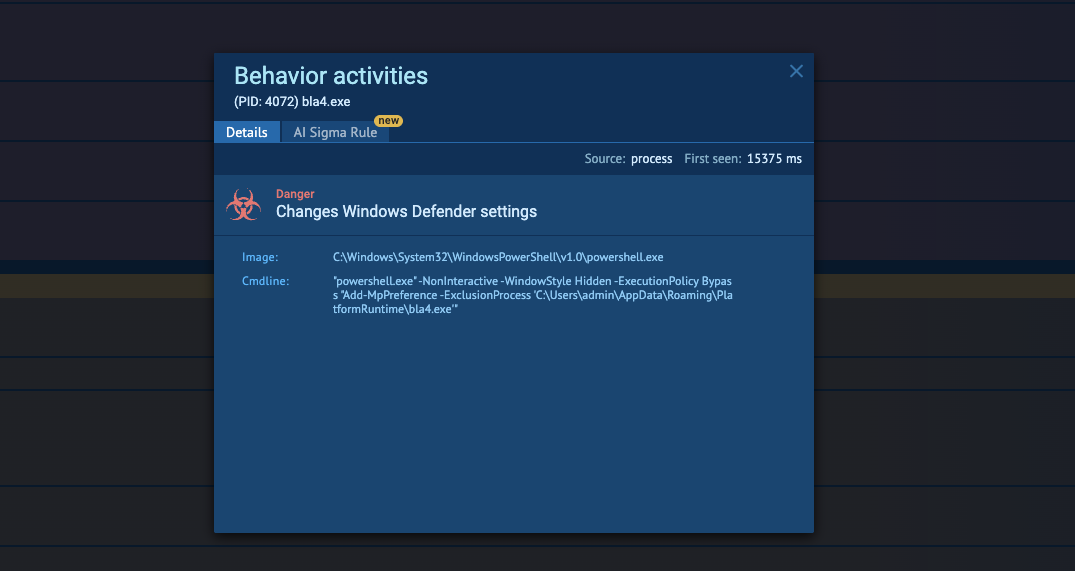
After persistence is established, RatonRAT launches PowerShell with an ExecutionPolicy bypass.
The malware also attempts to add its process to Microsoft Defender exclusions. This can reduce the ability of the endpoint security product to inspect or block the malicious process.
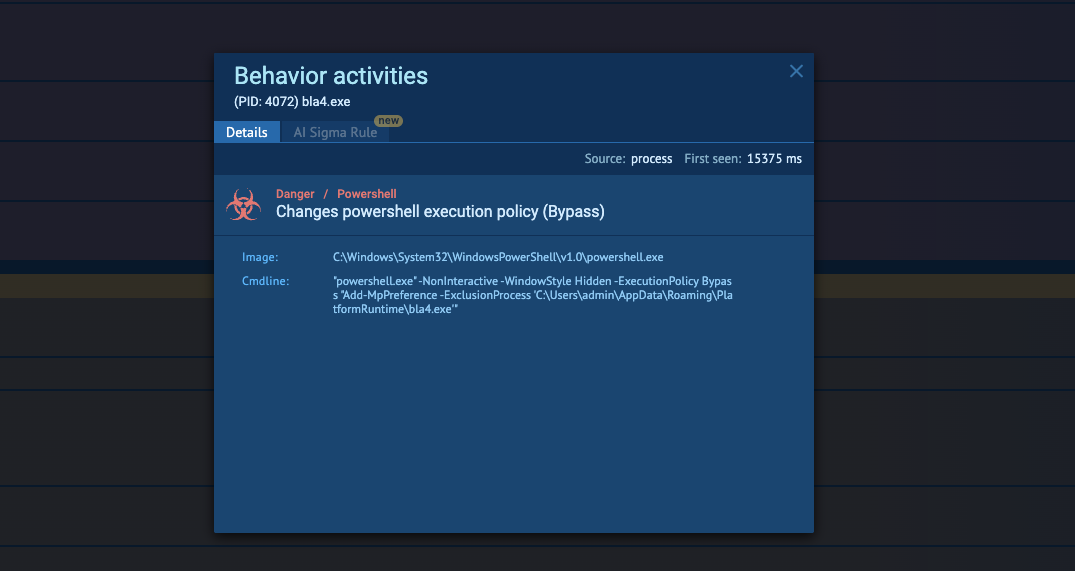
The combination of PowerShell execution and security-control modification represents an important behavioral signal for defenders investigating suspicious activity on Windows endpoints.
Stage 5: System and Virtual Environment Discovery
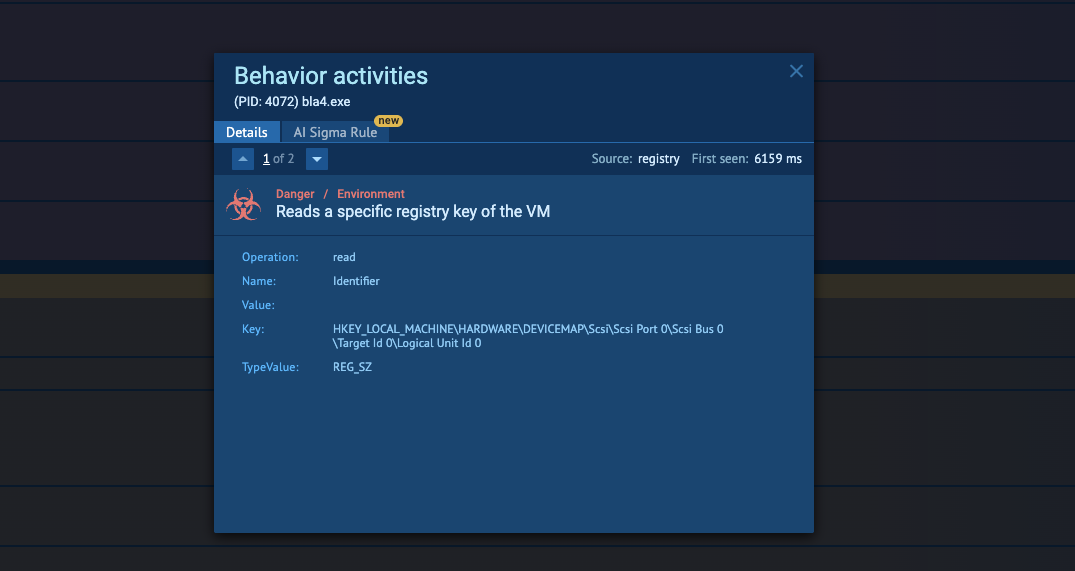
RatonRAT then collects information about the environment in which it is running.
Observed checks include:
- VirtualBox indicators
- VMware indicators
- BIOS information
- Disk information
- Running processes
- Available privileges
- System and hardware characteristics
The virtualization checks can help the malware determine whether it is operating inside a virtualized or potentially analyzed environment.
Stage 6: Mutex Creation
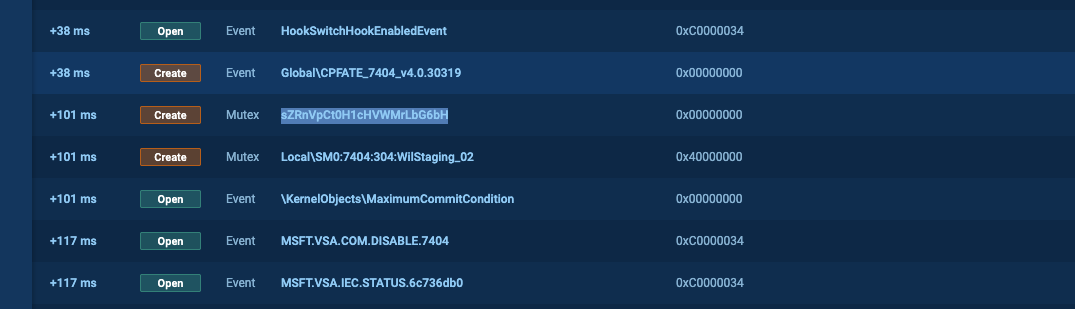
Another characteristic observed during execution is the creation of randomly generated mutexes.
These mutex names vary between executions and samples, but their purpose is consistent with preventing multiple instances of the malware from running simultaneously or helping the malware coordinate its execution state.
Stage 7: C2 Communication
Once the malware is running from its intended directory, RatonRAT establishes network communication with its configured C2 server.
This connection provides the attacker with a channel for controlling the infected client and delivering further instructions.
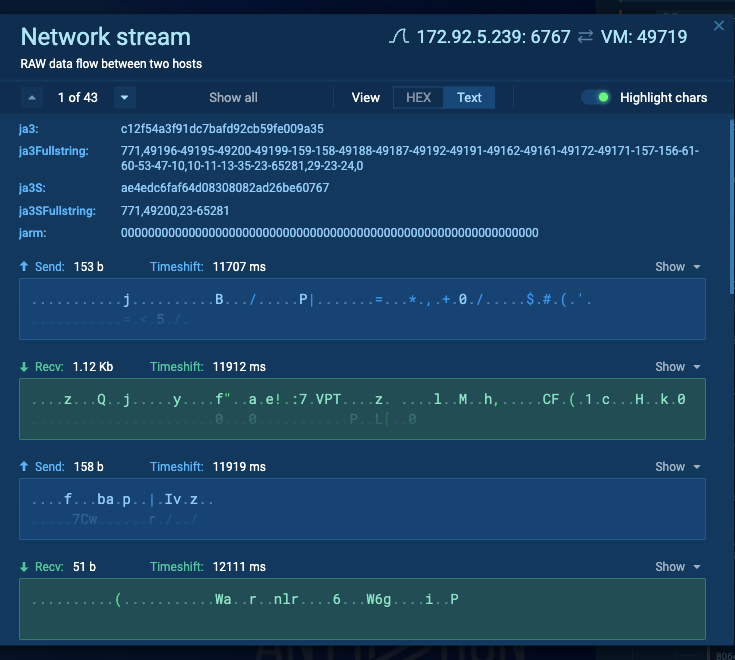
The subsequent behavior depends on the commands received by the RatonRAT client. As a result, activity observed after the initial C2 connection can vary between infections.
RatonRAT Behavior at a Glance
The observed samples demonstrate several layers of activity designed to maintain execution and reduce the malware's visibility:
- Relocation moves the executable from its original location into %APPDATA%\Roaming\PlatformRuntime.
- BAT execution launches the relocated copy and attempts to remove the original file.
- Persistence is established through scheduled tasks or Active Setup.
- PowerShell is used with an ExecutionPolicy bypass.
- Defender exclusions are modified to reduce security-tool interference.
- Environment discovery collects system, hardware, process, privilege, and virtualization information.
- Mutexes are created using randomized names.
- C2 communication enables further remote instructions.
This combination gives RatonRAT multiple opportunities to survive execution, understand its environment, and maintain communication with its operator.
How Organizations Can Use ANY.RUN’s Threat Intelligence to Investigate RatonRAT
RatonRAT samples can vary in configuration, persistence mechanisms, filenames, and infrastructure. For this reason, relying exclusively on static indicators such as file hashes may provide limited visibility into related activity.
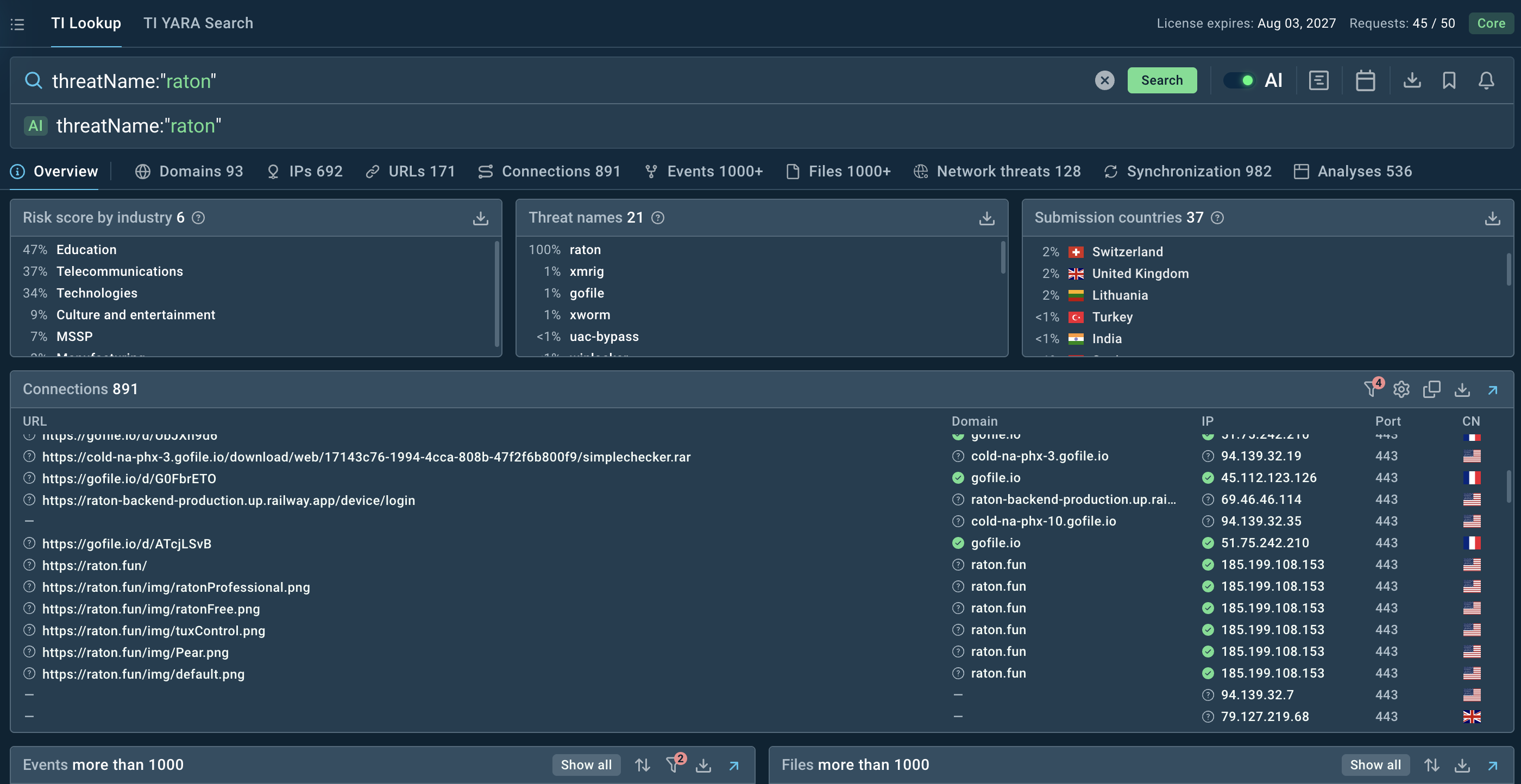
ANY.RUN’s Threat Intelligence can help analysts connect individual RatonRAT samples with related infrastructure, behavioral artifacts, and previous sandbox executions.
Threat Intelligence Lookup can be used to investigate known RatonRAT indicators and identify related artifacts.
Identify Behavioral Indicators
Defenders investigating potential RatonRAT activity can monitor for combinations of behaviors such as:
- Executables copying themselves into %APPDATA%\Roaming\PlatformRuntime\
- BAT files created under %APPDATA%\Roaming\Temp\
- BAT filenames matching cleanup_[a-z0-9]{30}.bat
- cmd.exe and timeout.exe launched by suspicious scripts
- Newly created scheduled tasks launching executables from user-writable directories
- Active Setup entries associated with unexpected executables
- PowerShell launched with an ExecutionPolicy bypass
- Unexpected modifications to Microsoft Defender exclusions
- VirtualBox or VMware environment checks by suspicious processes
- Unusual BIOS, disk, process, or privilege discovery
- Randomly generated mutex creation
- Unexpected outbound connections to configured C2 infrastructure
Behavioral detection can be particularly useful because individual RatonRAT samples may use different filenames, configurations, or persistence mechanisms.
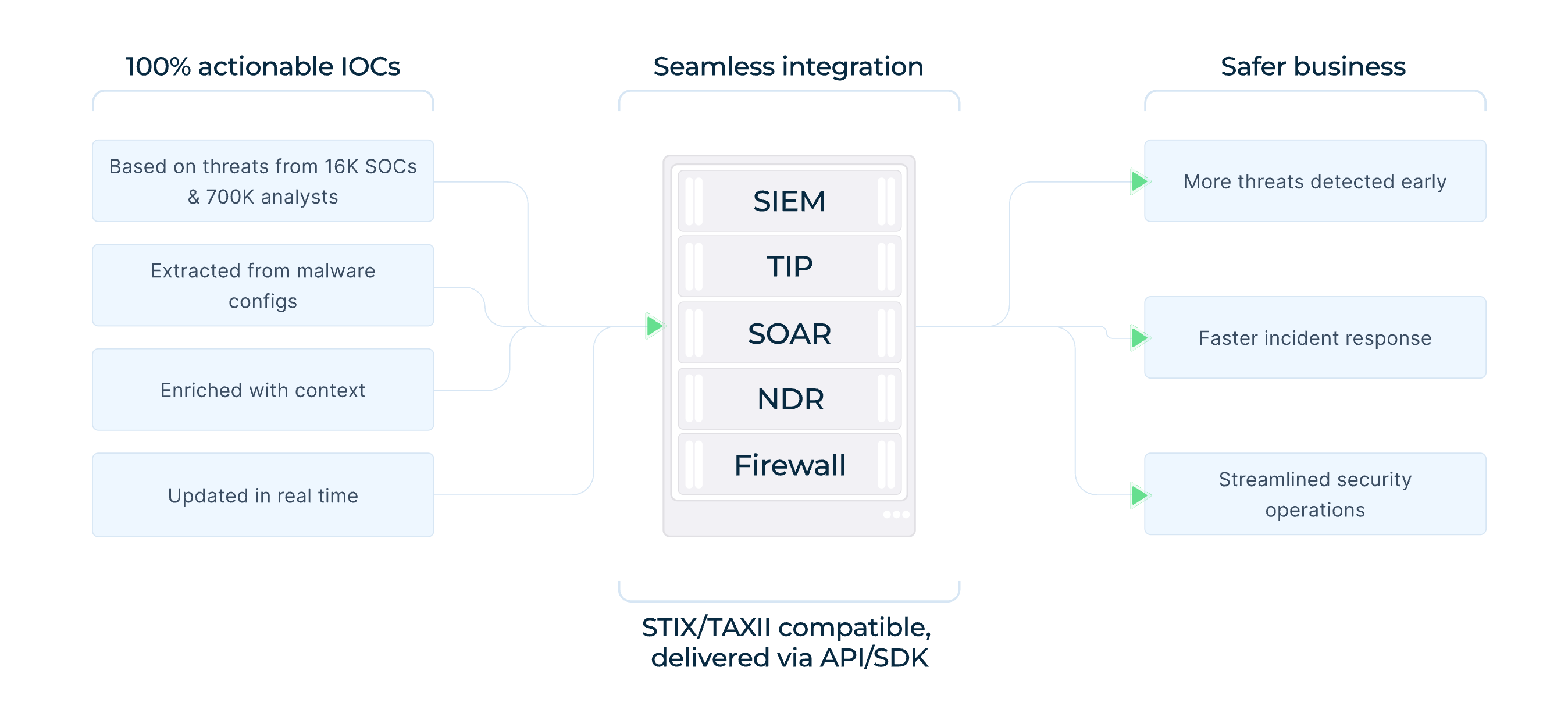
Powered by data contributed by 16,000 organizations and 700,000 security professionals, fresh ANY.RUN’s Threat Intelligence Feeds provide SOC teams with current indicators linked to RatonRAT activity. Feeds can be integrated with SIEM, SOAR, and EDR platforms, and other security solutions to help analysts detect suspicious infrastructure, investigate related activity, and track changes in the threat landscape.
Connect Samples to Related Activity
Analysts can use ANY RUN’s Threat Intelligence Lookup to pivot from a suspicious sample or indicator toward related activity.
For example, an investigation can begin with a suspicious executable and expand to:
- Related RatonRAT samples
- Shared hashes and artifacts
- C2 infrastructure
- Similar BAT launchers
- Persistence mechanisms
- PowerShell activity
- Common configuration characteristics
- Previous sandbox executions
This approach can help analysts determine whether an isolated endpoint event is connected to broader RatonRAT activity.
Respond to a RatonRAT Infection
If RatonRAT is identified on a corporate endpoint, incident response should address both the compromised host and any credentials or sessions that may have been exposed.
Recommended actions include:
- Isolate the affected endpoint.
- Preserve relevant forensic evidence.
- Remove unauthorized persistence mechanisms.
- Reset credentials that may have been exposed.
- Revoke active sessions where appropriate.
- Review authentication logs for suspicious activity.
- Investigate Microsoft Defender exclusion changes.
- Search for related BAT files, scheduled tasks, Active Setup entries, and suspicious PowerShell activity.
- Identify and block associated C2 infrastructure where appropriate.
- Search other endpoints for matching behavioral indicators.
As RatonRAT can maintain persistence and communicate with a C2 server, removing the initial executable alone may not be sufficient to determine whether the system remains compromised.
Conclusion
RatonRAT demonstrates how a relatively compact Windows RAT can combine persistence, system reconnaissance, credential theft, defense evasion, and C2 communication into a single infection chain.
Observed samples relocate themselves, use BAT scripts for execution and cleanup, establish persistence through scheduled tasks or Active Setup, modify Microsoft Defender exclusions, inspect the host environment, and communicate with a configured C2 server.
For defenders, these behaviors provide multiple opportunities for detection. Monitoring persistence creation, suspicious PowerShell activity, Defender exclusion changes, user-writable execution paths, virtualization checks, and unexpected C2 communication can help identify RatonRAT activity beyond simple hash-based detection.
Frequently Asked Questions: RatonRAT
1. What is RatonRAT?
RatonRAT is a .NET-based Remote Access Trojan targeting Windows systems. It supports capabilities including credential theft, system information collection, persistence, security evasion, and remote communication with a C2 server.
2. What can RatonRAT do?
RatonRAT can collect credentials and system information, establish persistence, inspect the host environment, evade certain security controls, and communicate with an attacker-controlled C2 server for further instructions.
3. How does RatonRAT establish persistence?
Observed samples can create a scheduled task that launches the malware at user logon. Some variants instead use an Active Setup entry to automatically execute a component during user-environment initialization.
4. How can RatonRAT evade detection?
RatonRAT can launch PowerShell with an ExecutionPolicy bypass and add its process to Microsoft Defender exclusions. It also checks for virtualized environments and uses self-relocation and cleanup scripts to reduce traces of its initial execution.
5. What does RatonRAT check on an infected system?
Observed samples inspect BIOS and disk information, running processes, system and hardware characteristics, available privileges, and virtualization indicators associated with VirtualBox and VMware.
6. How can interactive sandboxing and threat intelligence help investigate RatonRAT?
Interactive sandboxing allows analysts to observe the malware's behavior in a controlled environment, including self-relocation, BAT execution, persistence creation, PowerShell activity, Defender exclusion changes, environment discovery, mutex creation, and C2 communication.
Threat intelligence can then be used to pivot from observed indicators to related samples and infrastructure.
Other malware & phishing threats
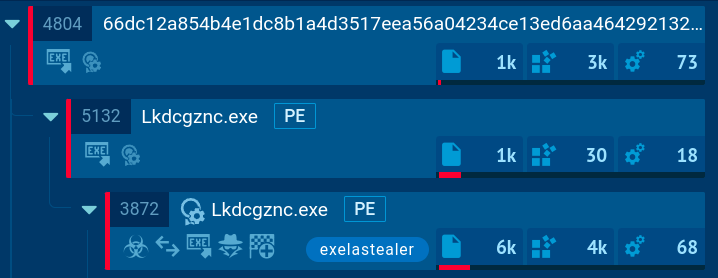 Exela StealerExela Stealer is an infostealer malware written in Python. It is capable of collecting a wide range of sensitive information from compromised systems and exfiltrating it to attackers over Discord. It is frequently used to steal browser data, and obtain session files from various applications, including gaming platforms, social media platforms, and messaging apps.
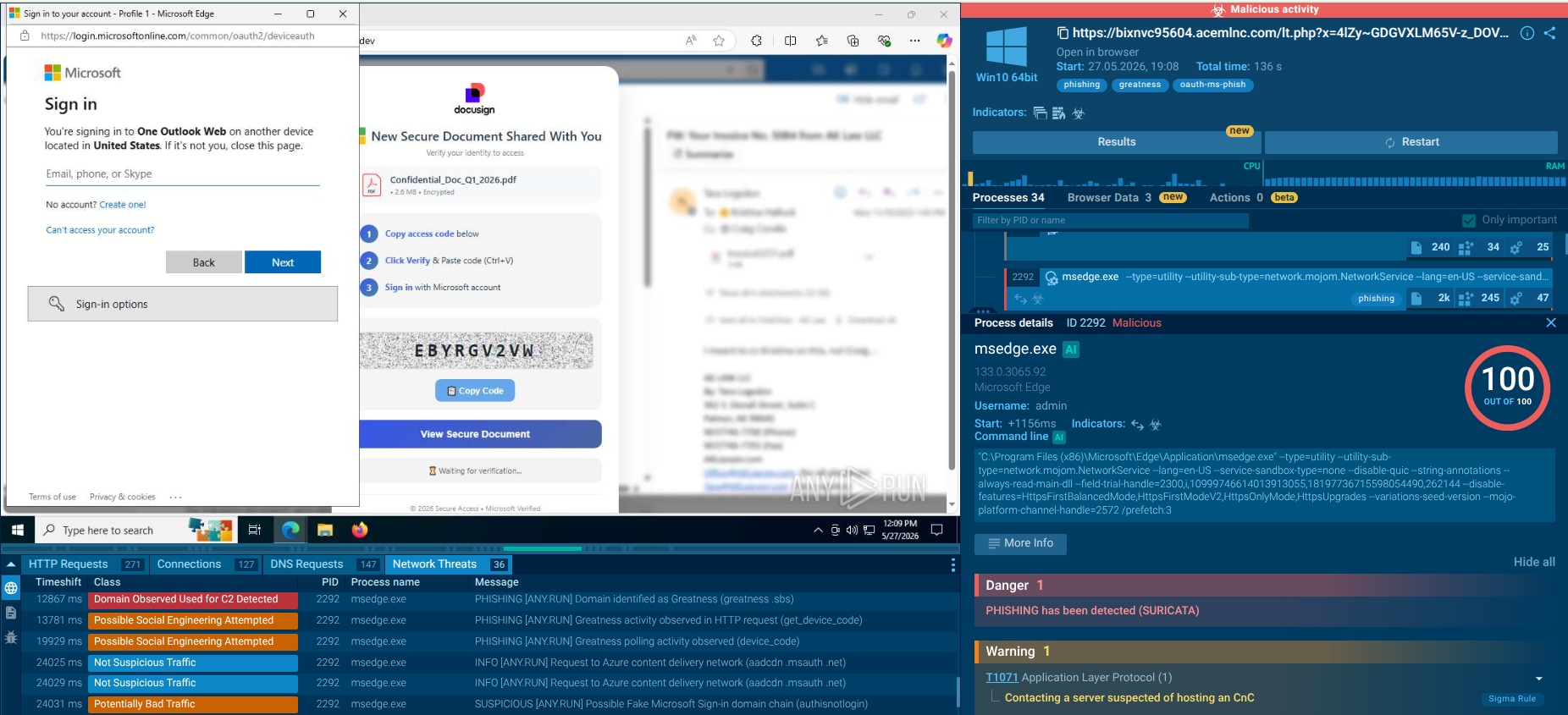 GreatnessGreatness is a Phishing-as-a-Service (PhaaS) platform that enables cybercriminals, even those with limited technical skills, to launch sophisticated phishing attacks primarily targeting Microsoft 365 (M365) credentials. It acts as a man-in-the-middle (MitM) proxy, facilitating credential theft and MFA bypass while providing affiliates with easy-to-use tools like attachment builders and Telegram notifications.
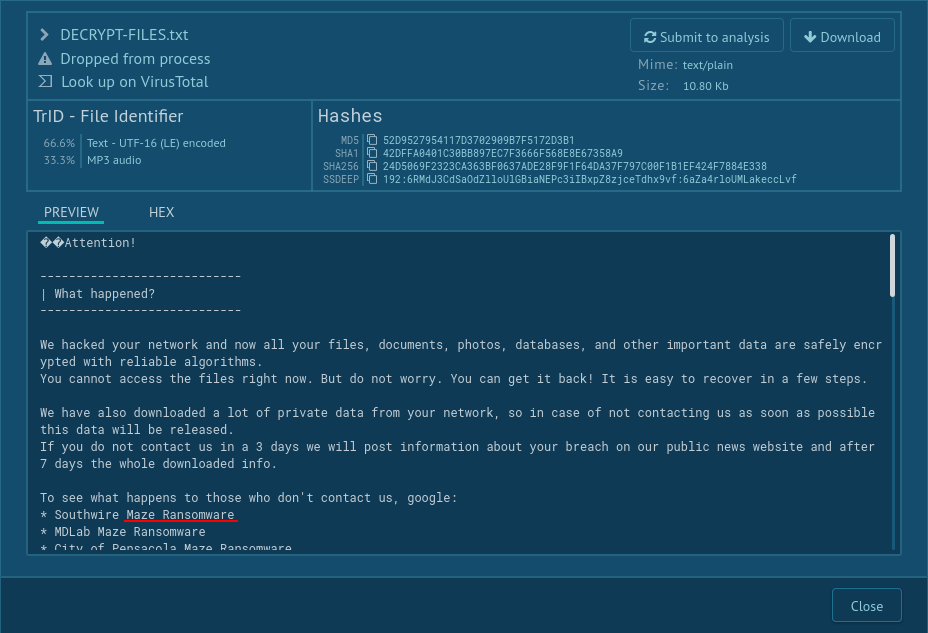 MazeMaze is ransomware — a malware type that encrypts the victim’s files and restores the data in exchange for a ransom payment. One of the most distinguishable features of Maze is that it is one of the first malware of the kind to publicly release stolen data.
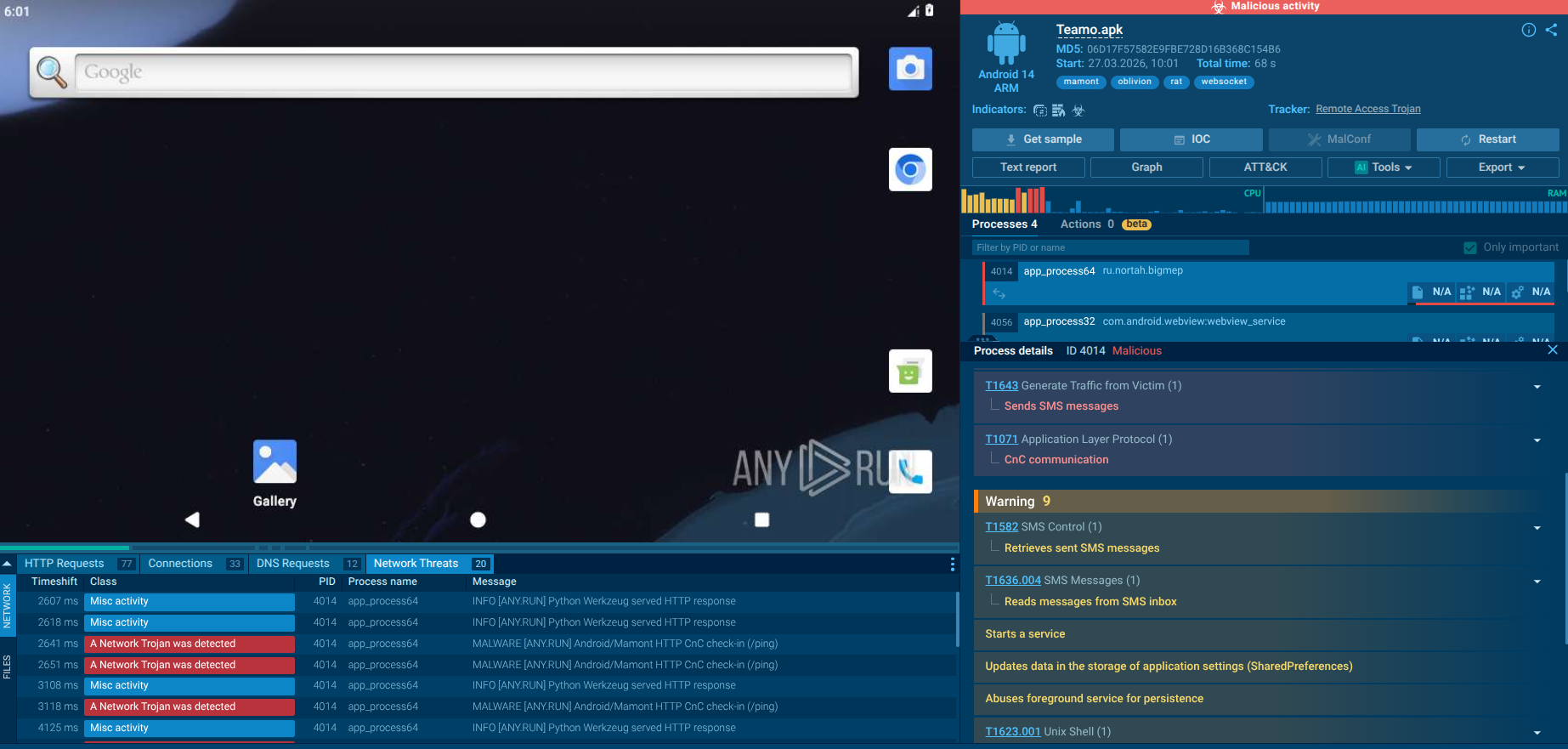 Oblivion RATOblivion RAT is a sophisticated Android Remote Access Trojan (RAT) offered as Malware-as-a-Service (MaaS) on cybercrime forums for as little as $300 per month. It equips even novice attackers with a complete toolkit, including a web-based APK builder, dropper generator mimicking Google Play updates, and a real-time C2 panel. The RAT enables full device takeover, data theft, and financial fraud through deceptive social engineering and Accessibility Service abuse.
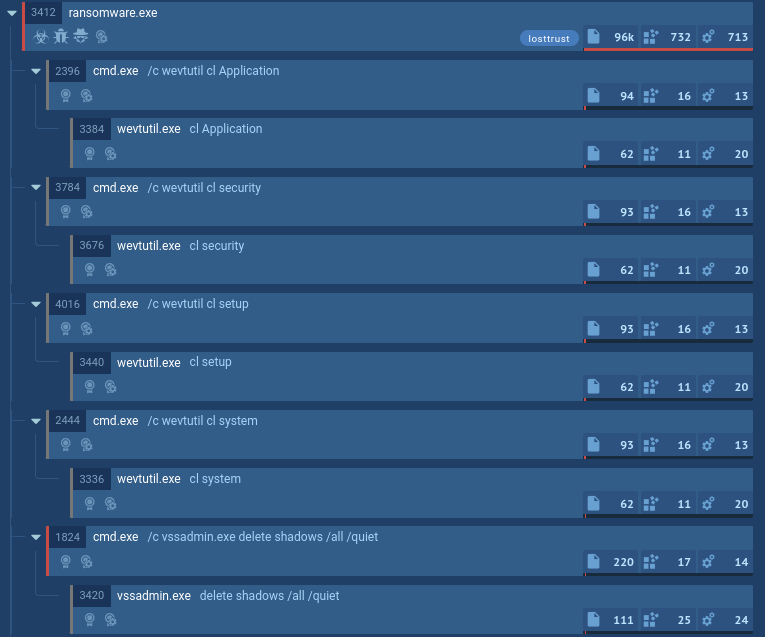 LostTrustLostTrust is a ransomware that has been active since March 2023. It is a multi-extortion malware, meaning that it not only encrypts data on the compromised system and demands a ransom, but also exfiltrates some of the critical files to the attacker. The criminals publish the stolen data on a special website, where dozens of companies are listed as victims of the malware.
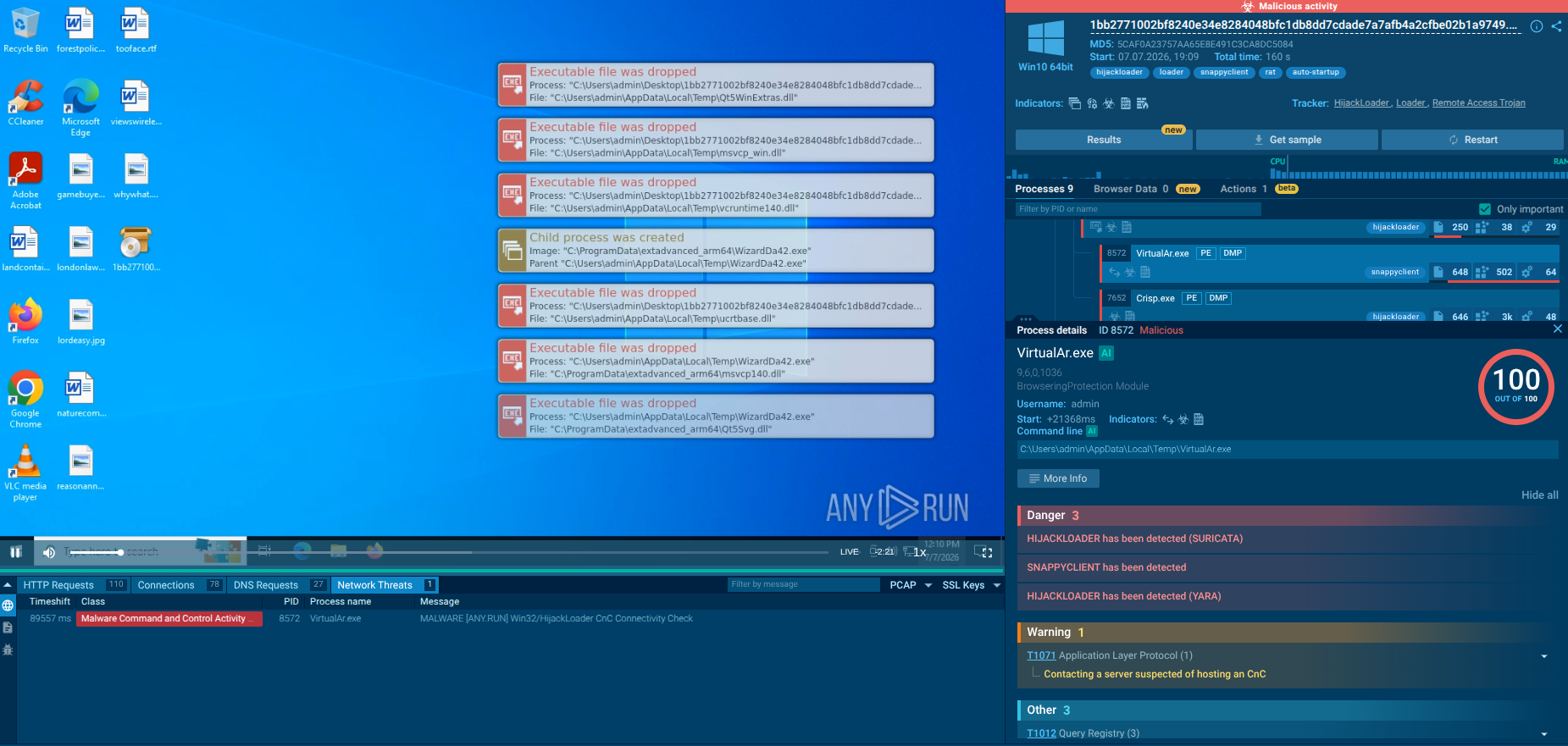 SnappyClientSnappyClient is a sophisticated C++-based command-and-control (C2) implant first identified in December 2025. Delivered primarily via the modular HijackLoader, it functions as a versatile remote access tool with strong information-stealing capabilities, particularly focused on cryptocurrency wallets, browser data, and system control. It employs advanced evasion techniques, encrypted communications, and modular configurations to maintain persistence and evade detection.